Acer Chromebook C733 4GB RAM 32GB Storage – Compact & Reliable Chromebook
If you are looking for a compact, affordable and easy-to-use laptop for everyday tasks, the Acer Chromebook C733 is a practical option to consider. Designed around Google’s Chrome OS, this Chromebook focuses on simplicity, portability and efficient everyday computing.
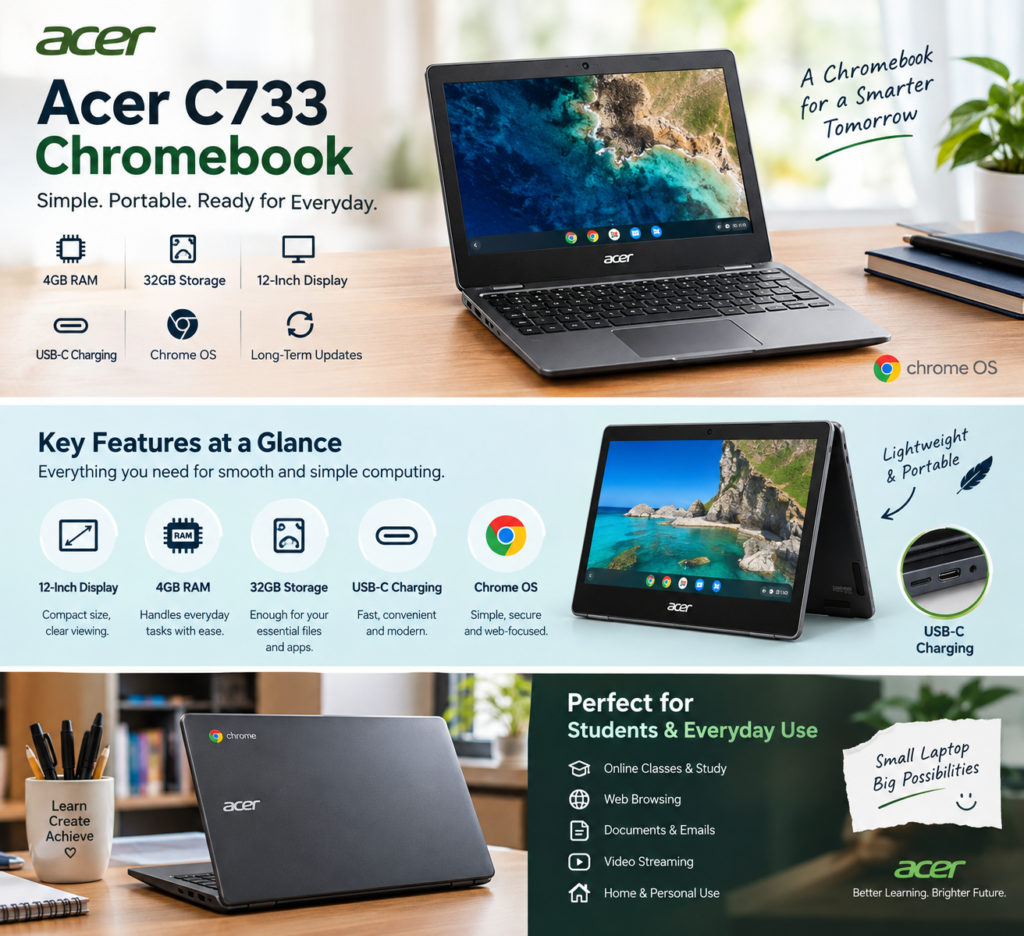
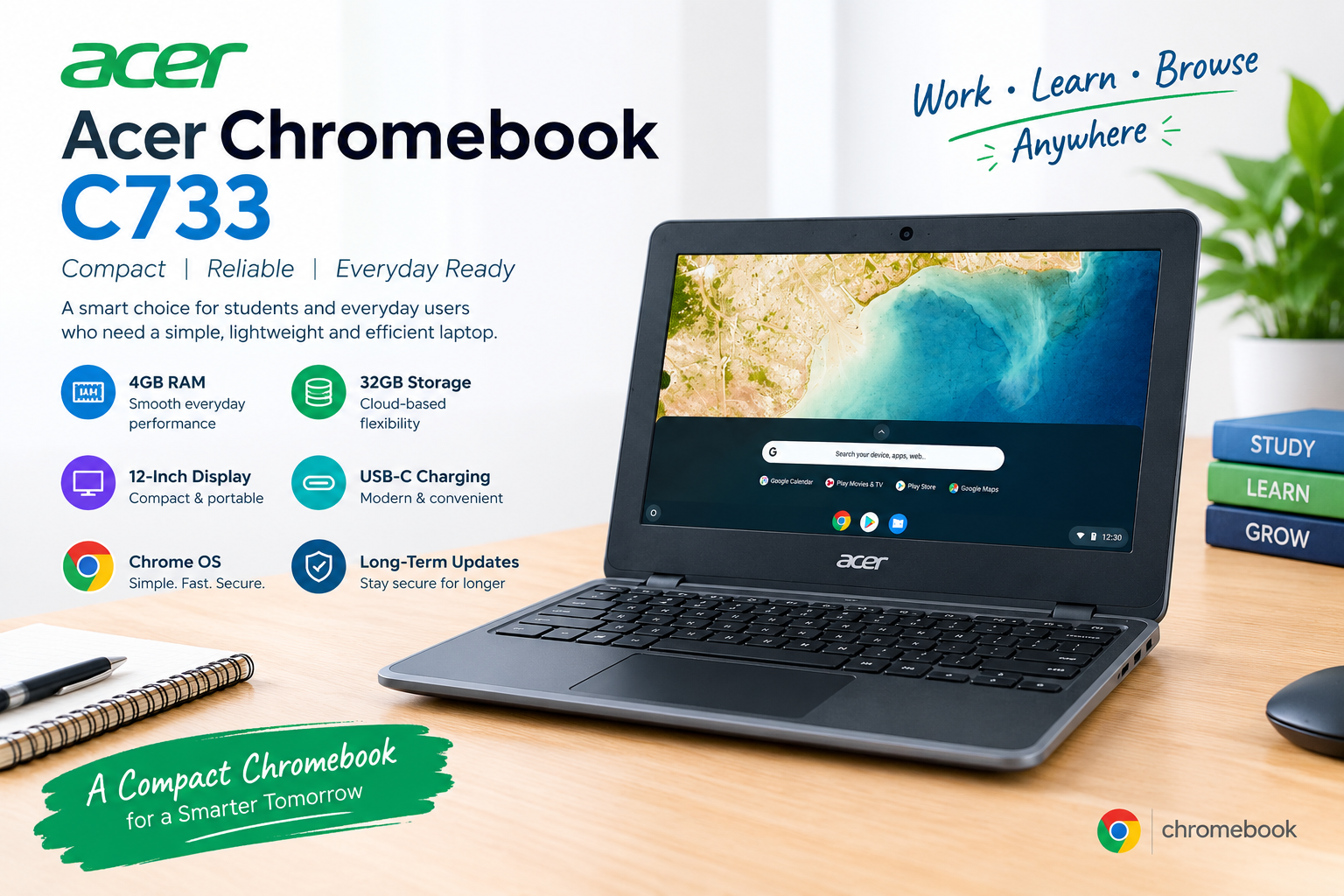
With 4GB RAM, 32GB storage, a 12-inch display, USB-C charging and Chrome OS, the Acer C733 is suitable for users who primarily need a device for web browsing, online classes, documents, email and other lightweight tasks.
Acer Chromebook C733 – Key Specifications
The Acer Chromebook C733 comes with a straightforward hardware configuration designed for everyday Chromebook use.
| Feature | Specification |
|---|---|
| Model | Acer Chromebook C733 |
| RAM | 4GB |
| Storage | 32GB |
| Display | 12-inch |
| Operating System | Chrome OS |
| Charging | USB-C |
| Updates | Long-term Chrome OS updates |
| Category | Chromebook |
Compact 12-Inch Display
One of the main advantages of the Acer Chromebook C733 is its compact 12-inch display. Its smaller form factor makes the device convenient for students and users who frequently carry their laptop between home, school, university or work.
A compact Chromebook can also be useful when desk space is limited. Instead of carrying a larger traditional laptop, users can have a lightweight device focused on essential computing tasks Acer Chromebook C733.
4GB RAM for Everyday Chromebook Tasks
The 4GB RAM configuration is designed for basic everyday activities. Chrome OS is optimized for web-based computing, making it possible to handle common tasks such as browsing websites, checking emails and working with online documents.
The Acer C733 can be a suitable choice for:
- Web browsing
- Online learning
- Google Docs and Sheets
- Watching online videos
- Basic productivity
- Research and reading
- Cloud-based applications
However, users should keep expectations realistic. A Chromebook with 4GB RAM is better suited to lightweight computing than demanding professional applications or intensive multitasking Acer Chromebook C733.
32GB Storage with Cloud-Based Computing
The Acer Chromebook C733 includes 32GB of internal storage. While this is considerably less than the storage commonly found on Windows laptops, Chromebooks are designed around cloud-based computing.
Users can store files through cloud services and keep the Chromebook’s internal storage available for essential applications and offline files.
This makes the Acer Chromebook C733 32GB particularly suitable for people who don’t need to keep a large collection of photos, videos and other files directly on their laptop.
USB-C Charging
Another useful feature of this Acer Chromebook is USB-C charging. USB-C has become increasingly common across modern laptops, tablets and other devices.
Having USB-C charging makes the Chromebook convenient for users who already use compatible USB-C accessories and chargers.
Chrome OS Experience
The Acer Chromebook C733 runs Chrome OS, Google’s operating system designed around web-based applications and services.
Chrome OS provides a simple interface and is particularly convenient for users who already rely on Google’s ecosystem. Students and everyday users can access services such as Google Drive, Google Docs, Gmail and other web-based tools.
Because much of the Chromebook experience is web-focused, it can be easier to manage than a traditional computer for users who mainly work online.
Long-Term Chrome OS Updates
Software support is an important consideration when purchasing a Chromebook. The Acer Chromebook C733 is designed to receive Chrome OS updates for an extended period, helping keep the device’s software experience current and secure during its supported update period.
For students and families, long-term software support can make a Chromebook more practical as an everyday device Acer Chromebook C733.
Is Acer Chromebook C733 Good for Students?
Yes, the Acer Chromebook C733 can be a good option for students whose work is primarily browser-based.
Its compact size, 4GB RAM, Chrome OS environment and USB-C charging make it convenient for everyday educational tasks.
Students can use it for:
- Online classes
- Research
- Assignments
- Google Classroom
- Google Docs
- Presentations
- Educational websites
- Video lectures
For advanced programming, professional video editing, high-end gaming or other demanding workloads, however, a more powerful laptop would be a better choice.
for Everyday Use
For basic home and office tasks, the C733 provides a simple computing experience. Instead of focusing on high-end specifications, this Chromebook is designed around the needs of users who primarily use the internet and cloud applications.
It can work well as a secondary computer, student laptop or affordable everyday Chromebook.
Why Choose the Acer Chromebook C733?
There are several reasons users may consider this Chromebook:
Compact Design: The 12-inch size makes it convenient to carry.
4GB RAM: Suitable for common browser-based tasks and basic productivity.
32GB Storage: Works well with a cloud-first workflow.
USB-C Charging: Provides a modern charging connection.
Chrome OS: Simple and easy to use for web-based computing.
Long-Term Updates: Extended Chrome OS support adds value for everyday users.
Final Thoughts
The Acer Chromebook C733 4GB RAM 32GB Storage is a compact Chromebook aimed at users who want a straightforward device for everyday online computing. Its 12-inch display, Chrome OS, USB-C charging and cloud-focused design make it particularly suitable for students, home users and people who primarily work through web applications.
If your main requirements are browsing, online classes, documents, email, research and other basic tasks, the Acer C733 can be a practical Chromebook to consider. For demanding software and intensive workloads, you should look for a laptop with more powerful hardware and greater storage.
❓ Frequently Asked Questions
1. How much RAM does the Acer Chromebook C733 have?
The Acer Chromebook C733 in this configuration comes with 4GB RAM.
2. How much storage does the Acer C733 have?
This configuration includes 32GB of storage.
3. What operating system does the Acer Chromebook C733 use?
It runs Chrome OS.
4. Does the Acer Chromebook C733 support USB-C charging?
Yes, this model features USB-C charging.
5. Is Acer Chromebook C733 suitable for students?
Yes. It is well suited to browser-based activities such as online classes, research, assignments and Google Workspace.
6. Is the Acer Chromebook C733 good for gaming?
It is intended primarily for everyday and web-based computing rather than demanding PC gaming.
7. Who should buy the Acer Chromebook C733?
It is a good fit for students, home users and anyone looking for a compact Chromebook for basic everyday tasks