Dell Latitude 5410 Complete Review: Specs, Performance & Buying Guide
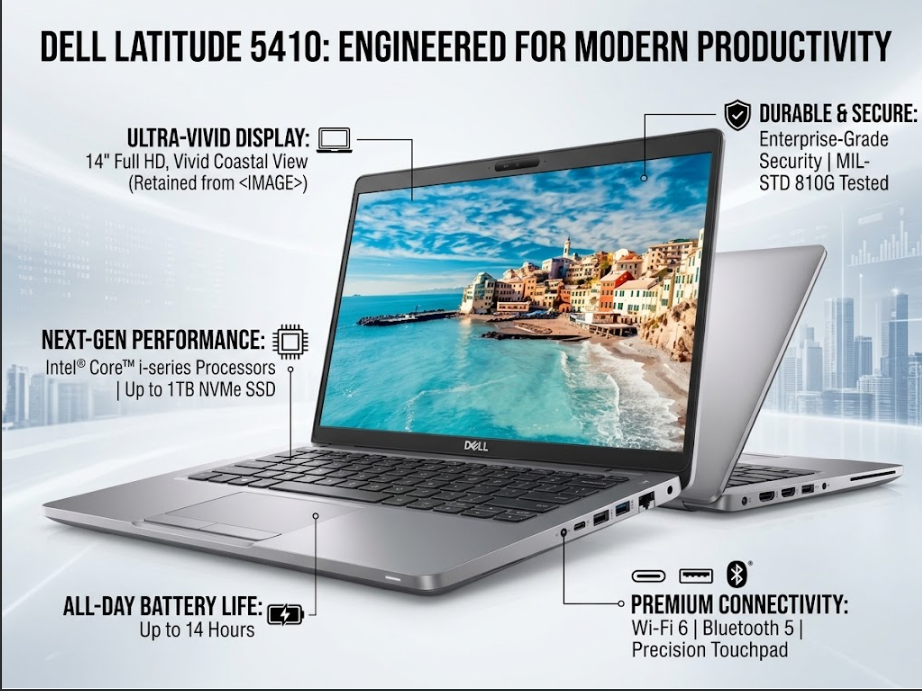
The Dell Latitude series has long been a top choice for corporate professionals, freelancers, and students. If you are looking for a durable, fast, and reliable laptop capable of handling daily tasks without lag, the Dell Latitude 5410 is a strong contender. In this detailed review, we explore every aspect of the Dell Latitude 5410—from build quality and processor performance to display clarity and daily usability.
1. Design and Build Quality
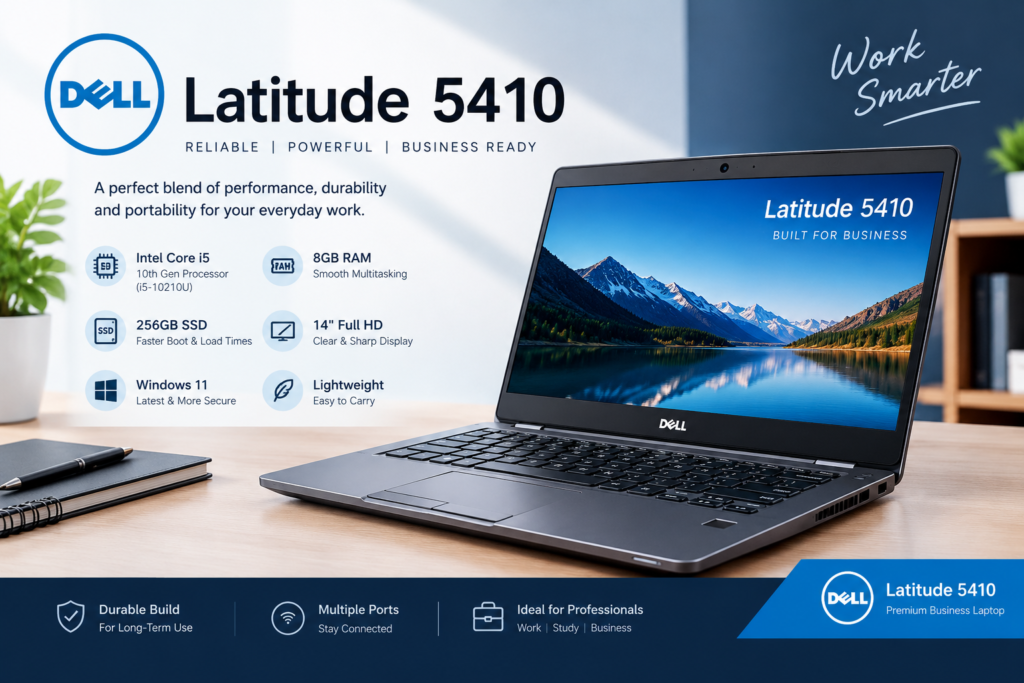
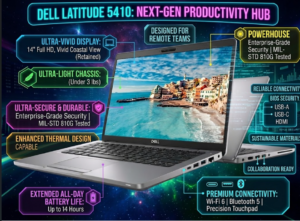
The Dell Latitude 5410 features a sleek, professional, and clean design. Built with durable reinforced materials, its chassis protects against accidental drops and everyday wear and tear. Weighing approximately 1.47 kg (3.2 lbs), it easily fits into a backpack, making it highly portable for office meetings, travel, or university lectures. The solid hinge design ensures screen stability when opening and closing the device.
2. Display and Visual Experience
Equipped with a 14-inch Full HD (1920×1080) display, the laptop delivers crisp visuals and sharp text.
-
Anti-Glare Coating: The matte finish reduces eye strain when working under bright office lighting or outdoors.
-
Color Accuracy: The FHD panel provides an enjoyable experience for document reading, video conferencing, and media consumption.
3. Performance and Hardware Breakdown
-
Intel Core i5-10210U Processor: Powered by a 10th Generation Intel Core i5 processor (4 Cores, 8 Threads), it handles daily productivity apps like Microsoft Office, Zoom, Google Meet, multi-tab web browsing, and light photo editing effortlessly.
-
8GB DDR4 RAM: Ensures smooth multitasking, allowing background applications to run without slowing down system performance.
-
256GB NVMe SSD: High-speed SSD storage allows the system to boot up in seconds and delivers file transfer speeds 4x to 5x faster than traditional hard drives
4. Backlit Keyboard and Touchpad
-
Keyboard Experience: Features Dell’s signature tactile typing experience with comfortable key travel for long typing sessions. The built-in Backlit Keyboard enables seamless typing in low-light environments.
-
Touchpad: The precision touchpad supports smooth gliding and instantly responds to Windows multi-finger gesturesDell Latitude 5410.
5. Ports and Battery Life
The Dell Latitude 5410 offers a comprehensive selection of connectivity ports:
-
USB Type-C (with DisplayPort & Power Delivery support)
-
USB 3.2 Gen 1 ports
-
HDMI 1.4 port (for connecting external monitors or projectors)
-
MicroSD Card Reader and RJ-45 Ethernet port
-
Headphone/Microphone Audio Combo Jack
Under normal office usage, web browsing, and video playback, the battery lasts comfortably between 5 to 7 hours.
Key Highlights: Pros & Cons
Pros:
-
Strong and durable business-grade build quality
-
Fast boot times and rapid app loading via NVMe SSD
-
Excellent typing experience with a backlit keyboard
-
Wide variety of connectivity ports (Type-C, HDMI, Ethernet)
-
Fully compatible with Windows 11 updates
Cons:
-
Integrated graphics card limits performance on AAA games
-
Moderate speaker volume; headphones recommended in noisy environments
Frequently Asked Questions (FAQs)
Q1: Is the Dell Latitude 5410 suitable for heavy gaming? No. This laptop is primarily designed for business, office tasks, programming, and online learning. It uses integrated Intel UHD Graphics, which can run casual or low-end games (such as Minecraft or CS:GO on low settings), but it is not intended for graphics-heavy AAA titles like GTA V or Cyberpunk 2077.
Q2: Can I upgrade the RAM and SSD on the Dell Latitude 5410? Yes, both the RAM and storage are fully upgradeable. You can expand the RAM from 8GB to 16GB or 32GB, and replace or upgrade the 256GB SSD to a 512GB or 1TB NVMe SSD.
Q3: Does this laptop support Windows 11? Yes. Powered by a 10th Generation Intel processor with a built-in TPM 2.0 chip, the Dell Latitude 5410 fully supports an official upgrade to Windows 11 without compatibility issues.
Q4: What is the real-world battery life of this laptop? Under typical workloads—such as web browsing, document editing, and video streaming—the battery yields about 5 to 7 hours of continuous use, depending on screen brightness and active applications
Q5: Who is the Dell Latitude 5410 best suited for? It is ideal for remote workers, software developers, accountants, college students, and freelancers who need a reliable, fast, and durable laptop for daily productivity.
Q6: How do I turn the backlit keyboard on or off? You can adjust or toggle the keyboard backlight brightness using the Fn + F6 or Fn + Right Arrow keyboard shortcut Visit UZ Tech For Better Experience