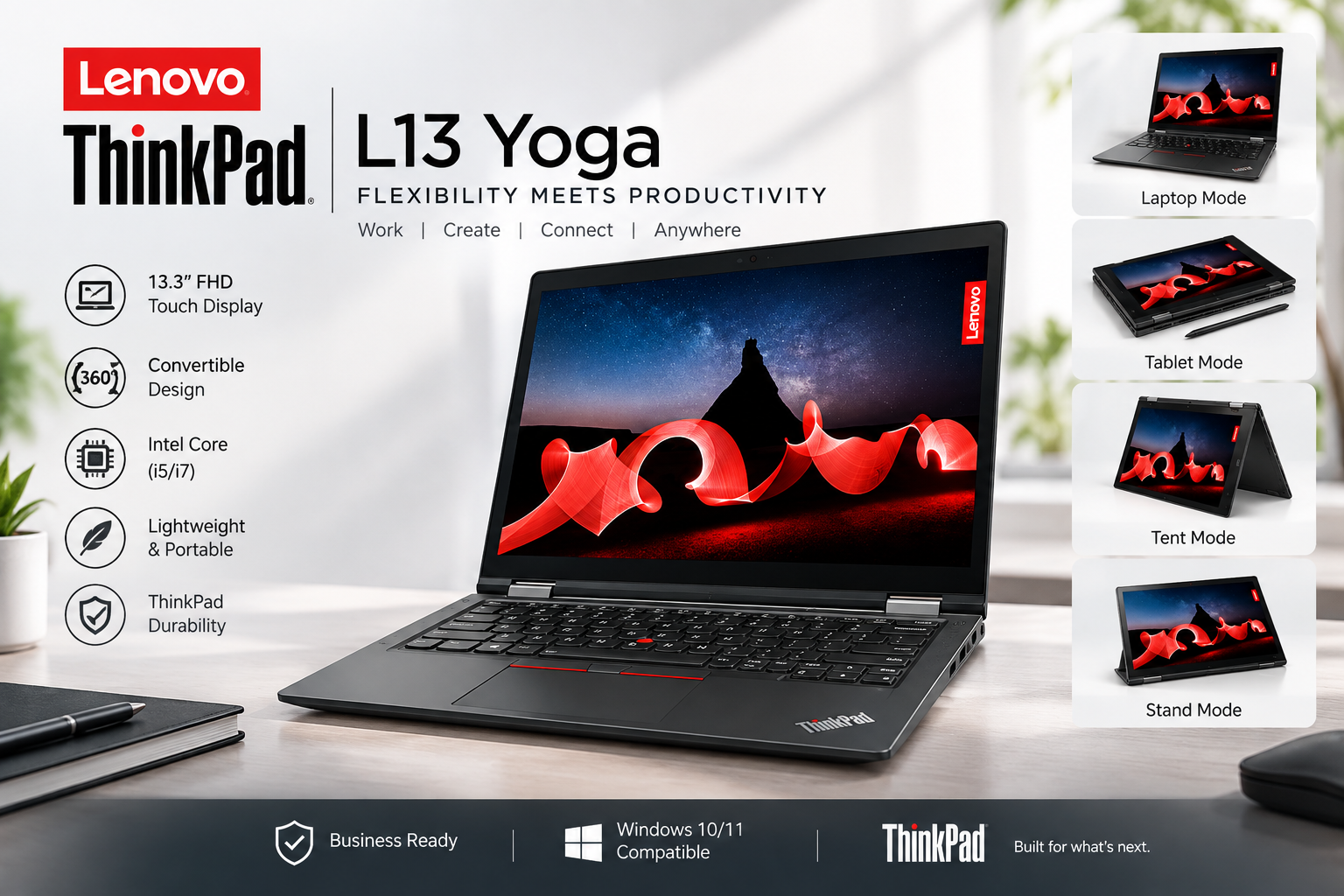
Lenovo ThinkPad L13 Yoga (i5 10th Gen) The Ultimate Comprehensive Review
Finding a laptop that seamlessly bridges the gap between rugged enterprise durability and flexible consumer versatility is no easy feat. The Lenovo ThinkPad L13 Yoga (i5 10th Generation) strikes that balance, delivering iconic ThinkPad engineering alongside a 360-degree convertible hinge and responsive touchscreen display. Designed for students, field workers, and business professionals, this machine packs productivity into a compact 13.3-inch chassis.
Technical Specifications
| Component | Detailed Specification |
| Processor | Intel Core i5-10210U (4 Cores, 8 Threads, Up to 4.20 GHz) |
| Memory (RAM) | 8GB DDR4 2666MHz (Soldered) |
| Storage | 256GB PCIe NVMe M.2 SSD |
| Display | 13.3″ FHD (1920 x 1080) IPS, Touchscreen, 300 nits |
| Graphics | Integrated Intel UHD Graphics |
| Operating System | Windows 10 / Windows 11 Pro Ready |
| Pen Support | Integrated ThinkPad Pen Pro (Garaged Stylus) |
| Security | Match-on-Chip Fingerprint Reader, ThinkShutter, dTPM 2.0 |
| Weight | ~1.43 kg (3.17 lbs) |
Design and Build Quality: Military-Grade Durability
The ThinkPad L13 Yoga stays true to Lenovo’s timeless matte black aesthetic, reinforced with glass-fiber materials that resist scratches, smudges, and minor impacts. It has undergone rigorous MIL-STD-810G testing, ensuring it can withstand extreme temperatures, humidity, dust, and drop hazards Lenovo ThinkPad L13 Yoga.
The highlight of the exterior is the engineered 360-degree Yoga hinge. The dual-hinge mechanism operates smoothly, allowing the screen to rotate effortlessly through four primary setups:
-
Laptop Mode: Standard configuration for typing and traditional office tasks.
-
Stand Mode: Ideal for presentations, video conferences, or watching media.
-
Tent Mode: Perfect for touch navigation in tight spaces, such as airline tray tables.
-
Tablet Mode: Folds completely flat for hand-held note-taking and sketchingLenovo ThinkPad L13 Yoga.
Display and Touchscreen Experience
Equipped with a 13.3-inch Full HD (1920×1080) IPS panel, the screen outputs vivid colors, sharp text, and wide viewing angles. The 300-nit brightness ensures comfortable indoor visibility, while the anti-reflection coating reduces glare under overhead fluorescent lighting.
The 10-point multi-touch capability is fast and precise. Whether you are pinching to zoom on complex spreadsheets, scrolling through long PDF documents, or signing digital contracts, the panel tracks touch points without delay. Additionally, the integrated ThinkPad Pen Pro resides directly in an internal charging garage on the side of the chassis, charging to 80% capacity in under 15 seconds.

Legendary Keyboard and Trackpad Ergonomic Excellence
Lenovo ThinkPads are world-renowned for their class-leading keyboards, and the L13 Yoga lives up to that reputation. Key features include:
-
Ergonomic Key Travel: Substantial tactile feedback with deep travel depth, minimizing typing fatigue.
-
Spill-Resistant Layer: Internal drainage paths protect sensitive internal components from accidental liquid spills.
-
Iconic Red TrackPoint: Positioned between the G, H, and B keys, allowing for quick cursor adjustments without moving your hands away from the home row.
-
Precision Trackpad: Smooth glass-like surface supporting full multi-touch Windows gestures alongside physical click buttons.
Performance, Thermal Management, and Storage
At the core of this machine is the 10th Generation Intel Core i5 processor. Featuring 4 physical cores and 8 threads, it delivers snappy multi-tasking capability. Opening dozens of browser tabs while simultaneously running data analysis tools, video conference software, and streaming high-definition content causes zero slowdown.
The 256GB PCIe NVMe Solid State Drive provides lightning-fast boot times, loading Windows within seconds and transferring large files instantly. While the 8GB DDR4 RAM is soldered and non-upgradable, it provides adequate headroom for standard productivity tasks, web browsing, and document editing.
Thermal management is quiet and effective. Heat pipes route thermal output away from key touch areas, keeping the palm rests cool even under sustained heavy processor loadsLenovo ThinkPad L13 Yoga .
Ports, Security, and Connectivity
Despite its slim 17.6mm profile, the L13 Yoga does not sacrifice connectivity ports:
-
2x USB-C 3.1 Gen 1: Supports power delivery, fast data transfers, and DisplayPort video output.
-
2x USB-A 3.1 Gen 1: Legacy ports for flash drives, mice, and external peripherals.
-
1x HDMI 1.4b: Direct video output to external monitors and projectors.
-
1x MicroSD Card Reader: Convenient for expanding storage or transferring camera media.
-
1x 3.5mm Headphone/Microphone Combo Jack: Standard audio output Lenovo ThinkPad L13 Yoga .
Security features are top-tier for enterprise use. The built-in fingerprint reader offers secure biometric logins, while the physical ThinkShutter camera slider blocks the 720p webcam when not in use for complete privacy.
Battery Life and Fast Charging
The 46Wh lithium-ion battery provides realistic usage of around 6 to 8 hours on a single charge under standard office workloads. When power runs low, Lenovo’s Rapid Charge technology uses the 65W USB-C charger to restore up to 80% battery capacity in just 60 minutesLenovo ThinkPad L13 Yoga .
Pros and Cons
Pros:
-
Highly durable MIL-STD-810G tested build quality.
-
Versatile 360-degree convertible design with garaged stylus pen.
-
Best-in-class tactile keyboard typing experience.
-
Excellent array of modern and legacy ports.
-
Fast 256GB NVMe SSD storage performance.
Cons:
-
RAM is soldered and cannot be upgraded post-purchase.
-
Integrated Intel UHD Graphics are not meant for modern 3D gaming Lenovo ThinkPad L13 Yoga.

Frequently Asked Questions (FAQs)
Q1: Is the RAM on the Lenovo ThinkPad L13 Yoga i5 10th Gen upgradable?
No, the 8GB DDR4 RAM on the ThinkPad L13 Yoga is soldered directly onto the motherboard. It cannot be upgraded later, so make sure 8GB fits your long-term multitasking needs.
Q2: Can I upgrade the SSD storage capacity?
Yes, the 256GB PCIe NVMe SSD is removable. You can easily upgrade it to a larger capacity M.2 NVMe SSD (such as 512GB or 1TB) by removing the bottom cover.
Q3: Is the Lenovo ThinkPad L13 Yoga good for heavy gaming?
This laptop relies on integrated Intel UHD Graphics. While it easily handles light casual games and older titles, it is not designed for modern AAA graphic-intensive gaming or high-end 3D rendering.
Q4: Does the laptop come with an active stylus pen included?
Yes, the ThinkPad L13 Yoga features an onboard garaged ThinkPad Pen Pro. The pen recharges automatically whenever it is docked inside its built-in slot on the side of the chassis.
Q5: Is this laptop suitable for college students and business travelers?
At just 1.43 kg with a compact 13.3-inch footprint, military-grade durability, and a 2-in-1 touchscreen form factor, it is an outstanding choice for students and professionals who commute frequently Lenovo ThinkPad L13 Yoga
Visit UZ Tech For Better Experience
.