Acer C733 Chromebook Review – 4GB RAM, 32GB Storage & USB-C Charging
Finding an affordable laptop for everyday tasks can be difficult when you want something simple, lightweight and easy to use. The Acer Chromebook C733 is designed for users who mainly need a device for browsing the internet, studying, working with online documents and enjoying everyday entertainment.
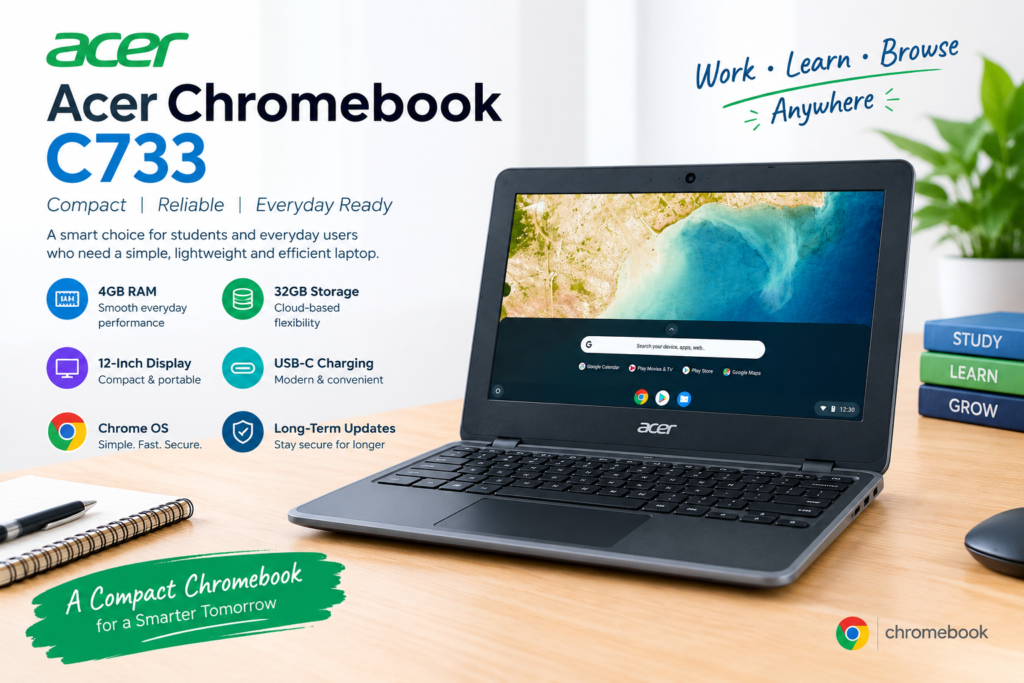
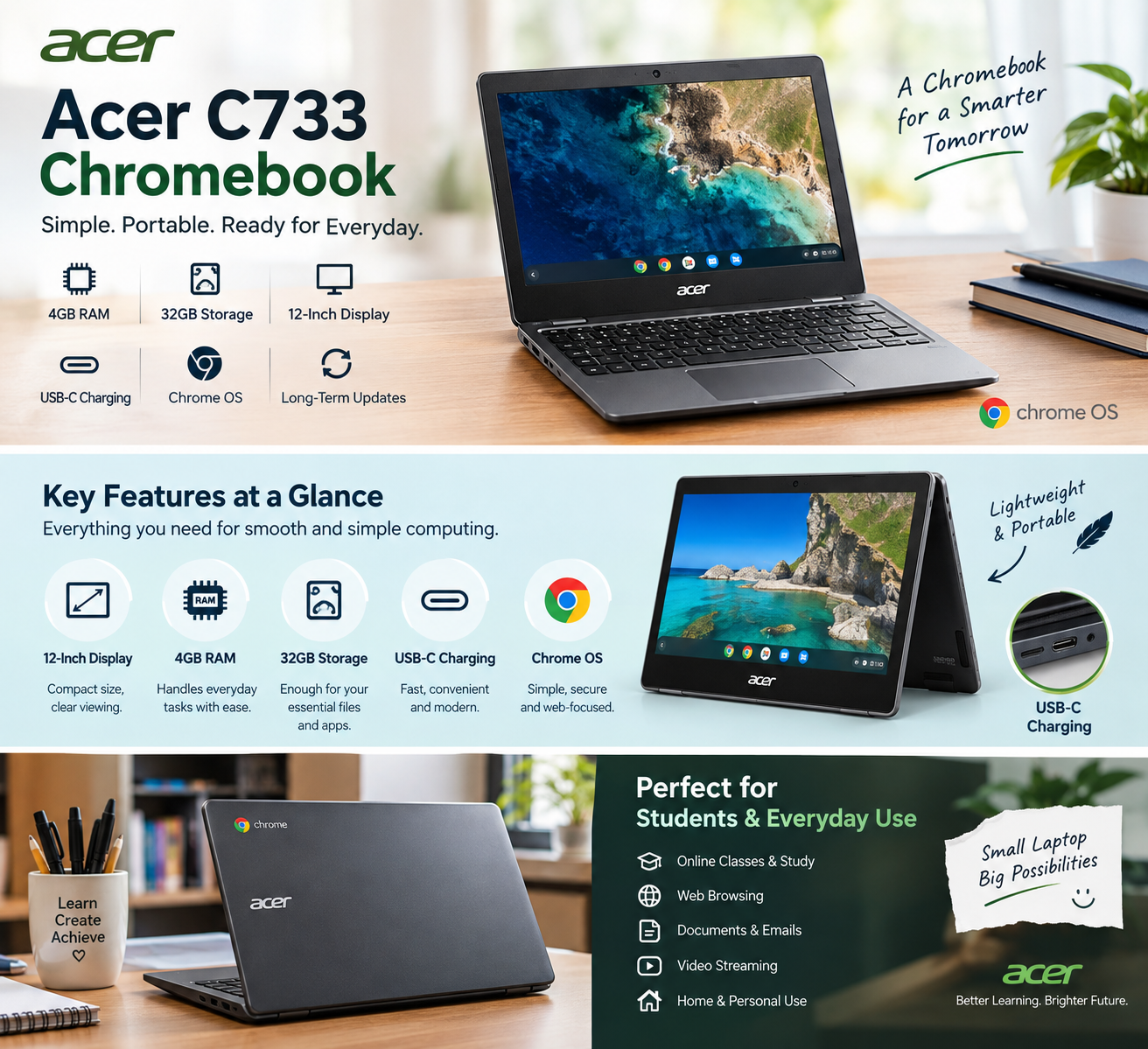
With 4GB RAM, 32GB storage, a 12-inch display, USB-C charging and Chrome OS, this Chromebook focuses on simplicity and portability rather than demanding desktop performance. It can be a practical option for students, home users and anyone who primarily works online.
What Is the Acer Chromebook C733?
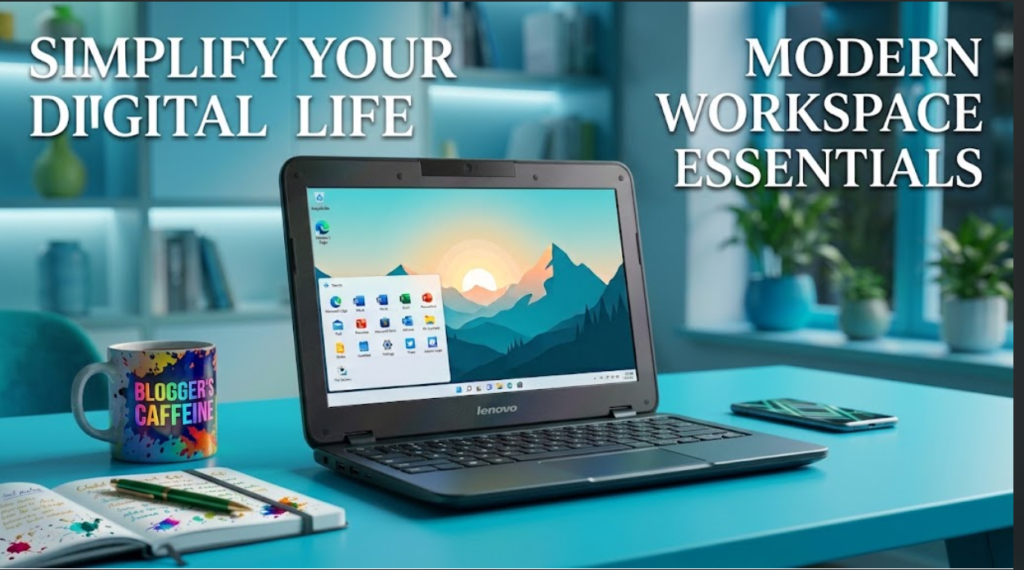
The is a compact Chromebook that runs on Google’s Chrome OS. Unlike traditional Windows laptops, Chromebooks are designed around web-based applications and cloud services.
This makes the C733 particularly suitable for activities such as browsing websites, checking emails, watching online videos, attending online classes and working with cloud-based documents.
Its compact design also makes it convenient for students and users who need a laptop that can easily be carried between home, school or the workplace Acer C733 Chromebook.
4GB RAM for Everyday Tasks
The Acer Chromebook C733 comes with 4GB RAM, which is suitable for many basic computing activities.
You can use it for:
- Web browsing
- Online classes
- Google Docs and other web applications
- Watching videos
- Reading and research
- Social media
- Basic office and productivity tasks
Acer C733 Chromebook
For users who mainly work with lightweight applications and browser-based services, 4GB RAM can provide a straightforward everyday experience.
However, it is important to remember that this Chromebook is designed primarily for basic and online tasks. Users looking for heavy video editing, advanced graphics work or demanding professional software should consider a more powerful laptop
32GB Storage for Essential Files
The Acer Chromebook C733 features 32GB of storage, which is enough for basic local files and applications supported by Chrome OS.
Chromebooks are also designed to work well with cloud storage. Instead of keeping large amounts of data directly on the laptop, users can store documents, photos and other files using cloud-based services.
This approach can be useful for students and users who mainly work online and do not need to keep large software packages or extensive media libraries on their device.
Compact 12-Inch Display
One of the notable features of the Acer Chromebook C733 is its 12-inch display.
The compact screen size helps keep the Chromebook portable and easy to carry. It can be useful for students who need to take their laptop to classes or users who frequently move between different locations.
A 12-inch display can also provide enough screen space for common activities such as browsing, reading documents, attending online classes and watching videos while keeping the overall device compact Visit UZ Tech Acer C733 Chromebook.
USB-C Charging
Another useful feature is USB-C charging.
USB-C has become increasingly common across modern laptops, tablets and other electronic devices. Having USB-C charging makes the Chromebook convenient for users who already use USB-C accessories and chargers.
It also provides a modern connection option while keeping the device simple and practical for everyday useAcer C733 Chromebook.
Chrome OS for Simple and Fast Computing
The Acer Chromebook C733 runs Chrome OS, Google’s operating system designed specifically for Chromebooks.
Chrome OS provides a simple interface and focuses heavily on web-based applications. Users who already rely on Google services may find the environment familiar and easy to navigate.
Chrome OS is particularly suitable for:
- Web browsing
- Google Docs
- Google Sheets
- Gmail
- Online learning
- Video streaming
- Cloud storage
- Web applications
Because Chromebooks are designed around online services, they can be a convenient choice for people who spend most of their computing time on the internetAcer C733 Chromebook.
Long-Term Updates
Another important consideration when buying a Chromebook is software support. Chrome OS devices receive updates that help maintain security and compatibility over time.
For buyers considering the Acer Chromebook C733, checking the device’s current ChromeOS Auto Update Expiration (AUE) date is important before purchasing, particularly when buying a used or refurbished Chromebook.
This allows buyers to understand how long the particular model is expected to receive official automatic updatesAcer C733 Chromebook Shop Our Top Rated Categories
Who Should Buy the Acer Chromebook C733?
The Acer Chromebook C733 can be a suitable choice for users who want an affordable and straightforward computer for basic tasks.
It may be useful for:
Students:
The compact design and Chrome OS environment can make it practical for online classes, research, assignments and document editing.
Home Users:
For browsing websites, checking emails, watching videos and handling everyday online activities, a Chromebook can provide a simple experienceAcer C733 Chromebook.
Basic Office Work:
Users working primarily with browser-based productivity tools can use the Chromebook for documents, spreadsheets, emails and other online tasksAcer C733 Chromebook.
Casual Users:
If you do not need demanding desktop software, the C733 provides a simple computing environment without unnecessary complexityAcer C733 Chromebook Visit UZ Tech Latest Products
.
Acer Chromebook C733 – Key Specifications
| Feature | Specification |
|---|---|
| Model | Acer Chromebook C733 |
| RAM | 4GB |
| Storage | 32GB |
| Display | 12-inch |
| Operating System | Chrome OS |
| Charging | USB-C |
| Category | Chromebook |
| Best For | Browsing, study, online work and everyday use |
Is the Acer Chromebook C733 a Good Budget Chromebook?
The Acer Chromebook C733 is designed around the idea of simple and affordable computing. Its 4GB RAM, 32GB storage, 12-inch display, USB-C charging and Chrome OS make it suitable for users whose everyday needs are mostly online.
It is not intended to replace a high-performance laptop for demanding professional applications. Instead, its strengths are portability, simplicity and access to web-based applications.
For students, casual users and people who primarily browse the web or work with cloud-based tools, the Acer Chromebook C733 can be a practical option Acer C733 Chromebook.
Final Thoughts
The Acer Chromebook C733 combines a compact 12-inch design with 4GB RAM, 32GB storage, USB-C charging and Chrome OS. Its specifications are aimed at everyday computing rather than intensive workloads.
If your main requirements are browsing, online learning, emails, documents, video streaming and other web-based activities, this Chromebook offers a straightforward computing experience.
Before purchasing, especially if buying a used unit, check the exact specifications, physical condition and ChromeOS update-support status of the particular device. This can help ensure that the Chromebook meets your current requirementsAcer C733 Chromebook Visit UZ Tech for better Experience