Dell 3189 Touch X360.Laptop – 4GB RAM, 32GB Storage & Chrome OS
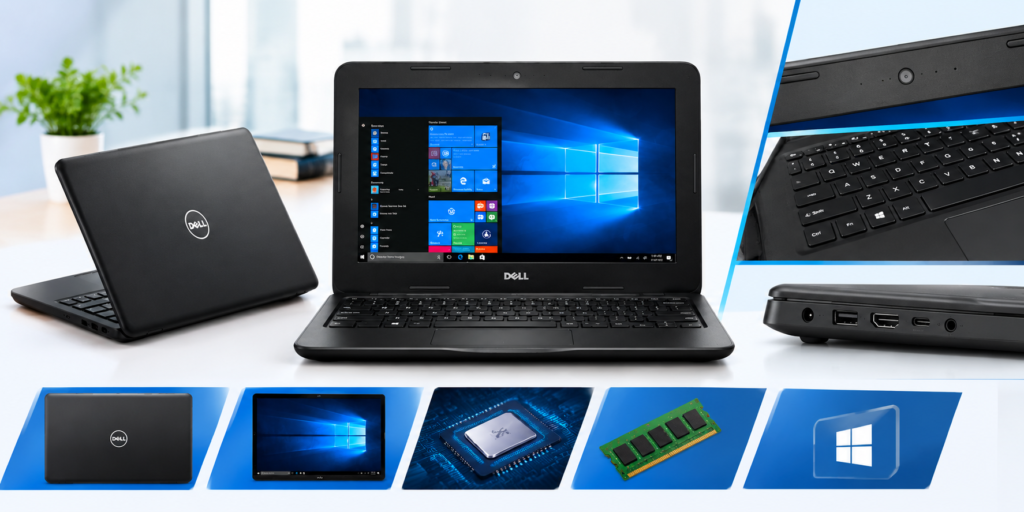
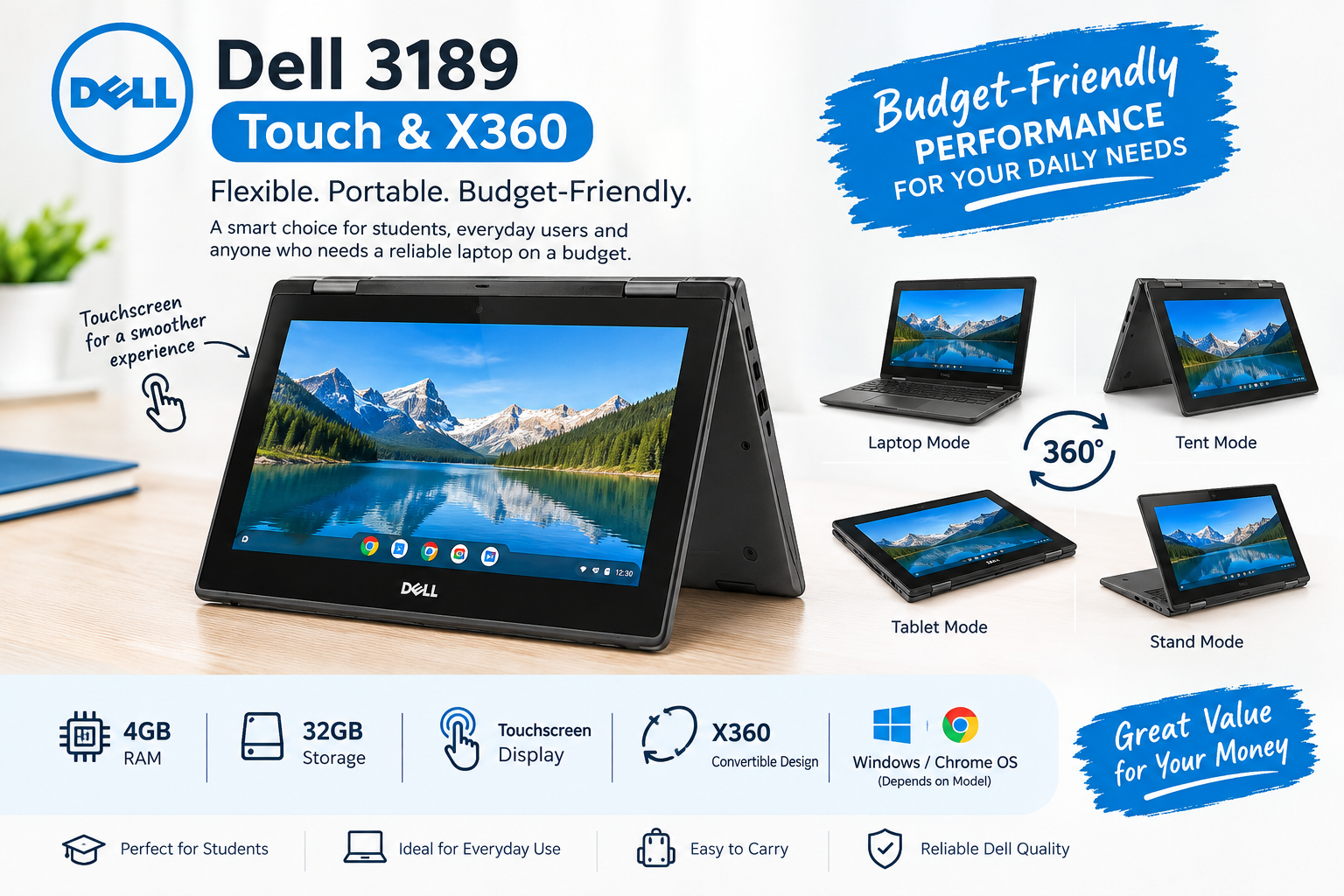
If you are looking for a compact, affordable and flexible laptop for everyday tasks, the Dell 3189 Touch & X360 can be an interesting option. Designed with a convertible form factor, this laptop combines the functionality of a traditional notebook with the convenience of a touchscreen device Dell 3189 Touch X360 .
With 4GB RAM and 32GB storage, the Dell 3189 is primarily suited for lightweight computing activities such as web browsing, online learning, document editing and basic productivity Dell 3189 Touch X360 . Its compact design also makes it convenient for students and users who prefer a smaller laptop that is easy to carry
Dell 3189 Touch & X360 – Overview
The Dell 3189 is designed around portability and flexibility. Its X360 convertible design allows the display to fold backward, making it possible to use the device in different positions depending on the task.
The touchscreen adds another convenient way to interact with the operating system. Instead of relying entirely on the keyboard and touchpad, users can interact directly with supported applications through the display.
This combination makes the Dell 3189 particularly useful for students, home users and people who need a lightweight device for basic computing.
4GB RAM for Everyday Tasks
The Dell 3189 comes with 4GB RAM, which is suitable for basic day-to-day activities.
Users can perform tasks such as:
- Web browsing
- Checking emails
- Working with documents
- Watching online videos
- Attending online classes
- Using basic productivity applications
- Reading PDFs and digital documents
- Performing light multitasking
However, 4GB RAM is more appropriate for lightweight workloads than demanding applications. Users who regularly work with advanced video editing software, large development environments or heavy multitasking may need a laptop with higher memoryDell 3189 Touch X360 .
32GB Storage – Compact but Limited
The 32GB storage configuration keeps the Dell 3189 lightweight and suitable for basic usage. It can accommodate the operating system, essential applications and a reasonable amount of personal files, depending on the operating system and available free space.
Because 32GB is relatively limited by modern standards, users should manage their storage carefully. Cloud storage, external storage or removable media can be useful for keeping larger collections of photos, videos and documents.
If your main requirement is web-based work and cloud applications, the storage capacity may be more manageable.
Touchscreen and X360 Convertible Design
One of the notable features of the Dell 3189 is its touchscreen and X360 convertible functionality.
The convertible design provides additional flexibility compared with a conventional laptop. Depending on the activity, you can use the device in a traditional laptop configuration or fold the display backward for other supported modes.
The touchscreen can also make certain activities more intuitive, particularly when browsing, interacting with touch-friendly applications or consuming multimedia content .
Windows and Chrome OS
The Dell 3189 platform can be encountered with different operating-system configurations, including Windows and Chrome OS, depending on the specific unit.
Chrome OS is designed around simplicity and web-based computing, making it suitable for users who primarily work with browser-based applications and cloud services.
Windows, on the other hand, provides access to the broader Windows software ecosystem.
Before purchasing a Dell 3189, it is important to verify which operating system is installed on the particular laptop, because the user experience, available storage and supported applications can differ between configurations.
Dell 3189 for Students
For students, portability can be just as important as specifications. The Dell 3189’s compact design makes it convenient for carrying between home, school, college or other study locations.
It can be used for:
- Online classes
- Research
- Google searches
- Microsoft Office-type document work
- Presentations
- Reading study material
- Educational websites
- Basic assignments
The touchscreen can also provide additional flexibility when interacting with educational content.
Dell 3189 for Browsing and Entertainment
For casual users, the Dell 3189 can serve as a basic browsing and entertainment device.
You can use it for websites, social media, email, online videos and other lightweight activities. The convertible design can also make the laptop convenient when switching between productivity and media consumption.
Actual performance will depend on the exact processor, operating system, storage condition and configuration of the individual unit.
Is Dell 3189 Good for Basic Office Work?
For basic office tasks, the Dell 3189 can be useful when the workload is relatively light.
Documents, spreadsheets with modest data, presentations, emails and web-based office applications are examples of tasks that can work well on an entry-level configuration
However, users working with very large spreadsheets, demanding professional software or heavy multitasking should consider a system with more RAM and storage.
Portable Design for Everyday Use
Another advantage of the Dell 3189 is its compact form factor. Smaller laptops are often easier to carry than larger machines, making them practical for students and users who frequently move between locations.
The X360 design adds another level of flexibility while maintaining the basic functionality of a laptop.
This makes the device suitable for people who prioritize portability, touchscreen functionality and everyday productivity Dell 3189 Touch X360 .
Things to Check Before Buying a Dell 3189
If you are purchasing a Dell 3189, especially a used or refurbished unit, check the following:
- Battery health – Check battery backup and charging behavior.
- Touchscreen – Test the complete display for touch responsiveness.
- X360 hinges – Make sure the hinges operate smoothly.
- Keyboard and touchpad – Test all major keys and touchpad functions.
- Storage – Confirm the actual available storage.
- RAM – Verify that the laptop has the advertised 4GB RAM.
- Operating system – Confirm whether the device has Windows or Chrome OS.
- Display condition – Check for dead pixels, lines or noticeable damage Dell 3189 Touch X360 .
- Ports – Test USB, audio and other available ports.
- Charger – Make sure the correct charger is included and functioning properly Dell 3189 Touch X360 .
Dell 3189 Laptop Price in Pakistan
The Dell 3189 laptop price in Pakistan can vary depending on several factors, including its physical condition, battery health, operating system, processor configuration, storage condition and whether the laptop is new, used or refurbished.
For this reason, it is better to compare the exact configuration rather than looking only at the model number.
If you are buying a used Dell 3189, checking the condition of the touchscreen, hinges, battery and keyboard is particularly important Dell 3189 Touch X360
Final Thoughts
The Dell 3189 Touch & X360 is a compact convertible laptop aimed at users who need a practical device for basic everyday computing. Its 4GB RAM, 32GB storage, touchscreen and X360 design make it suitable for browsing, online learning, documents, email and other lightweight tasks.
The main attraction is its combination of portability and touchscreen flexibility. However, the 32GB storage and 4GB RAM mean that it is better suited to basic workloads than demanding professional applications.
For students, home users and people looking for an affordable secondary laptop, the Dell 3189 can be considered when the specific unit is in good condition and offered at a suitable price Dell 3189 Touch X360 .
Frequently Asked Questions
Q1. Does the Dell 3189 have a touchscreen?
Yes, the Dell 3189 configuration described here features a touchscreen display.
Q2. Is the Dell 3189 an X360 laptop?
Yes. The X360 design allows the display to fold backward, providing greater flexibility than a conventional laptop.
Q3. How much RAM does the Dell 3189 have?
This configuration has 4GB RAM, which is suitable for basic everyday computing.
Q4. How much storage does the Dell 3189 have?
The configuration mentioned has 32GB storage. Since this is limited, users should manage files carefully or use external/cloud storage.
Q5. Can Dell 3189 be used for online classes?
Yes. Its compact design, touchscreen and basic computing capabilities can make it suitable for online classes and educational activities, provided the specific operating system and required applications are supportedDell 3189 Touch X360.
Q6. Is Dell 3189 suitable for gaming?
It is primarily intended for basic computing rather than demanding modern gaming. Performance will depend on the exact hardware configuration.
Q7. Should I buy a Dell 3189 with 4GB RAM and 32GB storage?
It can be suitable if your requirements are limited to browsing, documents, online learning and other lightweight tasks. For demanding workloads, a laptop with more RAM and storage would be more appropriate Dell 3189 Touch X360. Visit UZ Tech For Better Experience .