Dell Latitude 3510 (i5, 8GB RAM, 256GB SSD): A Reliable 15.6″ Business Laptop with Numpad
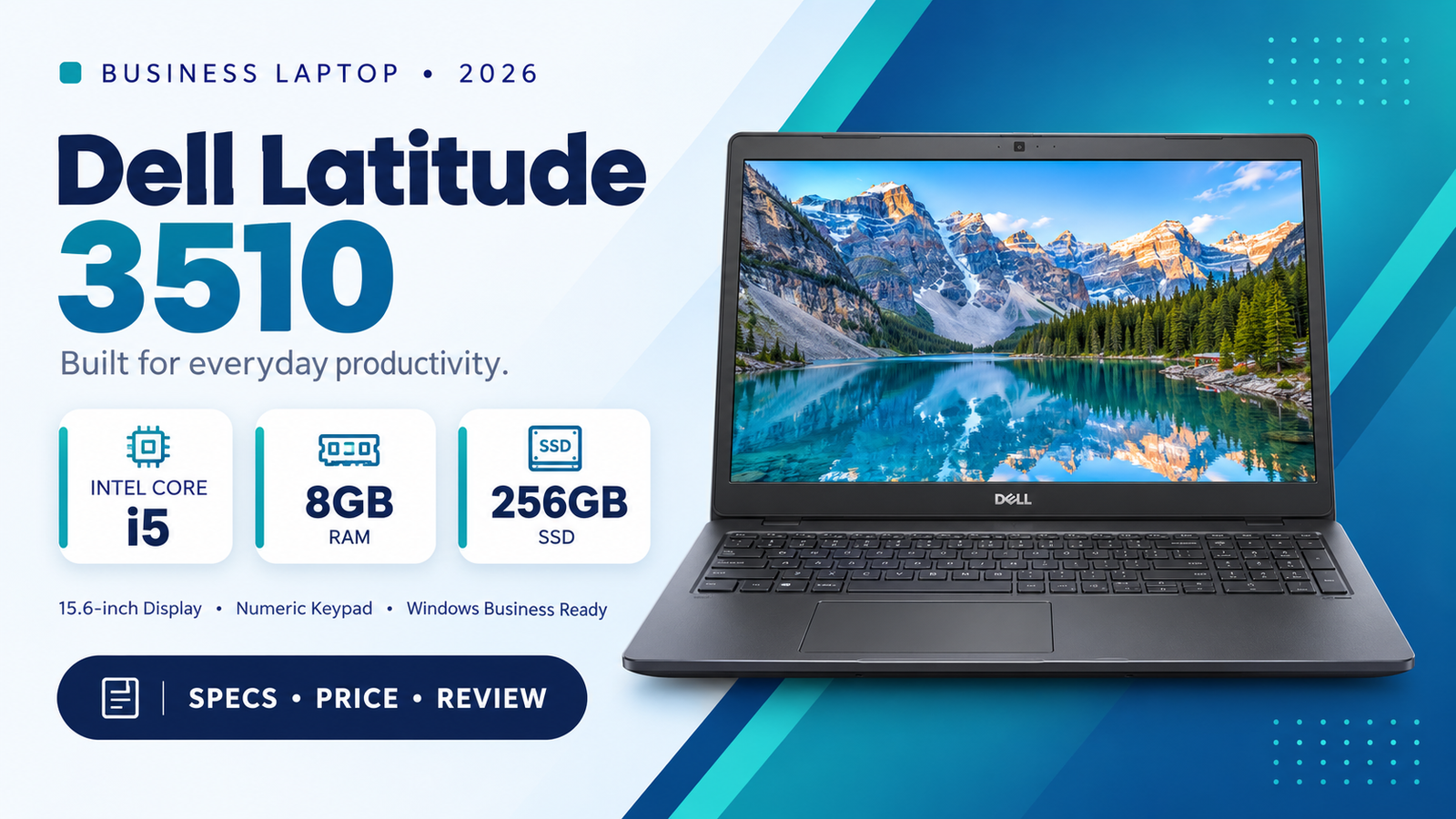
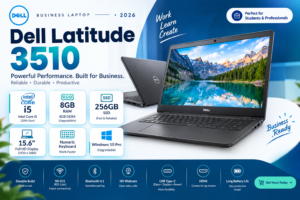
If you want a dependable laptop for office work, online classes, freelancing, or daily business use, the Dell Latitude 3510 is a strong choice. It combines a Core i5 processor, 8GB RAM, a fast 256GB SSD, a 15.6-inch display and a full-size numpad keyboard. Dell’s Latitude series is built for professionals, so you get durability and consistent performance rather than a flashy gaming design.
In this guide we cover the specs, performance, display, keyboard, battery, ports, who should buy it, and its pros and cons.
Dell Latitude 3510 Specifications at a Glance
| Feature | Details |
|---|---|
| Model | Dell Latitude 3510 |
| Processor | Intel Core i5 |
| RAM | 8GB |
| Storage | 256GB SSD |
| Display | 15.6-inch |
| Keyboard | Full-size with numeric keypad |
| Operating System | Windows 10/11 Pro (varies by unit) |
| Category | Business / Office Laptop |
Performance: Intel Core i5 + 8GB RAM
The Intel Core i5 processor handles everyday multitasking comfortably. You can run Chrome with many tabs, Microsoft Office (Word, Excel, PowerPoint), Zoom or Google Meet, PDF tools and light photo editing at the same time without major slowdowns.
The 8GB RAM is the sweet spot for most users in 2026. It is enough for office work, browsing, online classes and ERP or accounting software. If you need more later, the RAM is generally upgradeable.
256GB SSD: Fast Boot and Quick File Access
Compared to an old hard drive, a 256GB SSD makes a big difference:
- Windows boots in seconds
- Apps and software open faster
- Better shock resistance, so your data is safer when carrying the laptop
- Quiet, cool and more energy efficient
For most office and student users, 256GB is enough for Windows, software and important documents. You can add an external drive or cloud storage for extra space.
15.6-Inch Display: Comfortable for Long Work Hours
The 15.6-inch screen gives you enough space to work with spreadsheets, documents and split-screen windows. It is a good size for long sessions, whether you are typing reports, attending virtual meetings or watching lectures and videos.
Numpad Keyboard: A Big Plus for Accountants and Data Entry
One of the best features of the Latitude 3510 is its full-size keyboard with numeric keypad. If you work in accounting, banking, data entry, inventory management or Excel, a numpad saves a lot of time. The keys are comfortable and the typing experience is consistent, which is why Latitude laptops are popular in offices.
Build Quality and Design
Dell Latitude laptops are known for their sturdy, professional build. The Latitude 3510 has a clean, simple design that suits any office, classroom or home setup. It is made for daily use and regular travel, not just occasional use.
Connectivity and Ports
The Latitude 3510 offers the practical ports business users need, including USB ports, HDMI for external monitors or projectors, an audio jack, and Wi-Fi and Bluetooth for wireless connectivity. Check your specific unit for the exact port list.
Who Should Buy the Dell Latitude 3510?
-
- Students who need a reliable laptop for assignments and online learning
- Office employees who work with documents, email and spreadsheets
- Accountants and data entry operators who benefit from the numpad
- Freelancers working in writing, SEO, virtual assistance or basic design
- Small business owners who want a durable and affordable machine
- Anyone who wants a dependable laptop without paying for a premium brand-new model Shop our discounted Products
Pros and Cons
Pros
- Reliable Dell Latitude business build
- Core i5 with 8GB RAM handles multitasking well
- Fast 256GB SSD
- Large 15.6″ display
- Full-size numpad keyboard
- Good value for money, especially as a refurbished or used unit
Cons
- Not designed for heavy gaming or professional video editing
- Heavier than ultrabooks because of the larger screen
- 256GB storage may fill up for users with large media files
Buying Tips
- Check the battery health. This is especially important for used or refurbished laptops.
- Inspect the screen and keyboard for dead pixels, marks or faulty keys.
- Confirm the processor generation and specs.
- Ask for a warranty from the seller.
- Test the ports, Wi-Fi and webcam before paying.
Final Verdict
The Dell Latitude 3510 with Core i5, 8GB RAM and 256GB SSDis a practical, well-balanced laptop for work, study and business. Its fast SSD, spacious display and numpad keyboard make it especially useful for professionals who handle numbers and documents all day. If you want solid performance and Dell reliability at a sensible price, this laptop is worth considering Visit latest products.
FAQs
Is the Dell Latitude 3510 good for office work?
Yes. The Core i5 processor and 8GB RAM handle Microsoft Office, browsing and video calls smoothly.
Does the Dell Latitude 3510 have a numeric keypad?
Yes, it has a full-size keyboard with a numpad.
Can I upgrade the RAM and storage?
In most cases, yes. Check with a technician for your specific unit.
Is it good for gaming?
No. It is built for business and productivity, not heavy gaming.
Is the Dell Latitude 3510 good for students?
Yes, it is a good option for online classes, assignments and research Visit UZ Tech for a better Experience.