The Ultimate Guide to the Lenovo N42 Chromebook: Specs, Performance, and Value
Finding a laptop that strikes the right balance between performance, durability, and affordability can feel like a daunting task. Whether you are a student attending online classes, a professional managing daily office tasks, or someone looking for a smooth casual browsing machine, the Lenovo N42 Chromebook stands out as a compelling, budget-friendly option.
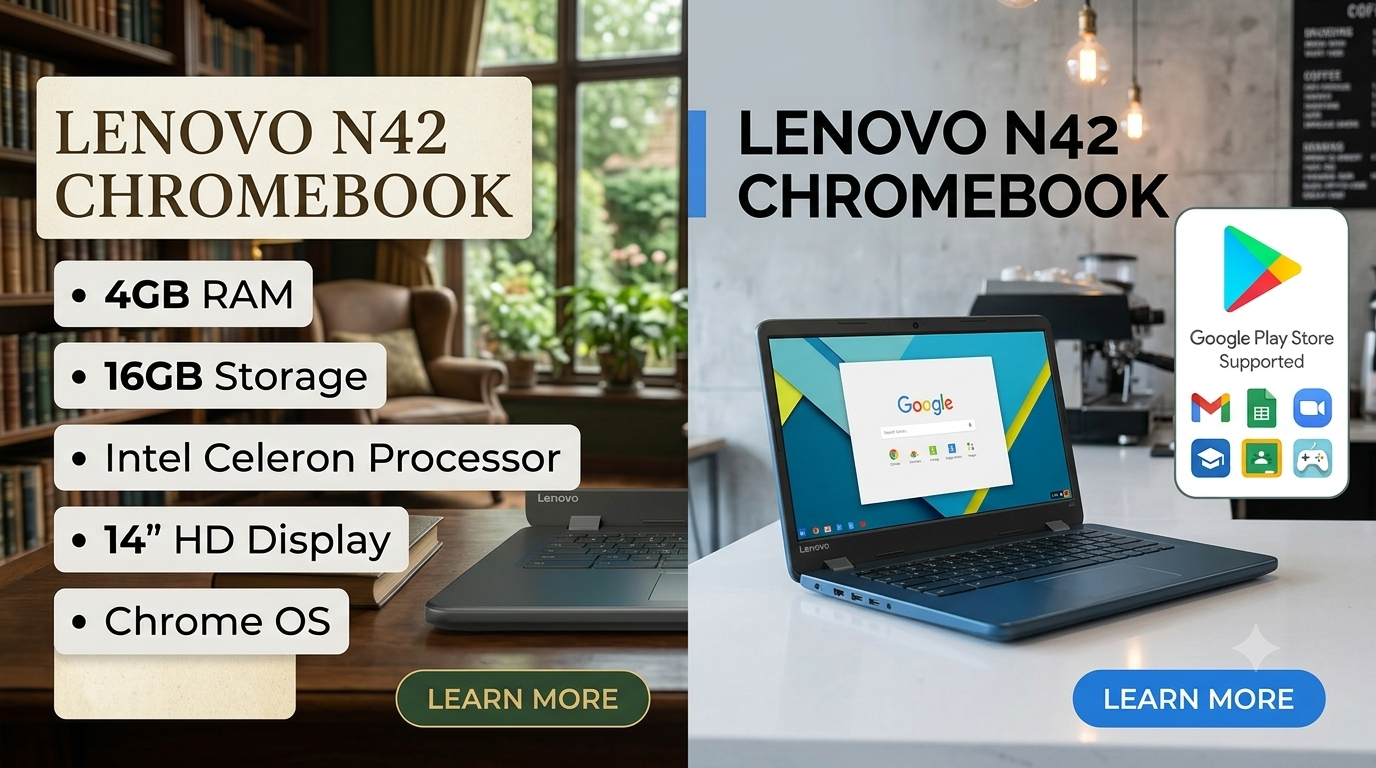
Featuring an Intel Celeron processor, 4GB RAM, 16GB storage, a clear 14″ HD display, and full Google Play Store support, this device brings modern efficiency to everyday computing. Here is an in-depth review of why the Lenovo N42 Chromebook remains a top choice in the budget market segment.
1. Sleek Design and 14″ HD Display
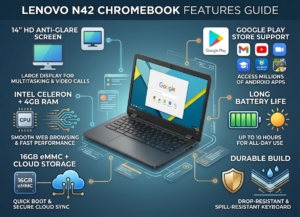
The first thing you notice about the Lenovo N42 is its clean, professional, and practical design. Built with daily handling in mind, it features reinforced ports, drop-resistant corners, and a spill-resistant keyboard, making it ideal for classrooms, home offices, or lightweight travel Lenovo N42 Chromebook .
-
Screen Size: The spacious 14-inch HD display provides ample screen real estate. Unlike smaller 11.6-inch budget Chromebooks, the 14-inch panel makes split-screen multitasking easy. You can comfortably keep a video call open on one side while taking notes on the other.
-
Anti-Glare Coating: The display features an anti-glare finish, reducing eye strain during long working hours or study sessions under harsh indoor lights.
2. Reliable Performance with Intel Celeron & 4GB RAM
At the heart of the Lenovo N42 is an energy-efficient Intel Celeron processor. Designed specifically for light computing, web browsing, and document editing, this chip delivers quick boot times and responsive web navigation without draining your battery quickly.
-
4GB RAM for Smooth Multitasking: Many entry-level laptops struggle due to 2GB of memory, but the 4GB RAM on the Lenovo N42 ensures you can keep multiple Chrome browser tabs open, listen to music, and run background apps without severe lag.
-
16GB eMMC Storage: While 16GB might sound small compared to traditional Windows hard drives, Chrome OS relies primarily on fast cloud storage via Google Drive. The localized flash storage allows the system to boot in seconds while leaving plenty of room for essential app installations.
3. Unlocked Potential with Google Play Store Support
The inclusion of Google Play Store support elevates the Lenovo N42 from a basic web browser into a versatile android app ecosystem device.
-
Productivity Apps: Download and run native Android apps directly from the store, including Microsoft Office (Word, Excel, PowerPoint), Google Docs, Zoom, and Google Meet Lenovo N42 Chromebook.
-
Entertainment & Games: Stream HD video on Netflix, YouTube, or Hulu, and play lightweight mobile games directly on the 14-inch display using mouse and keyboard controls Lenovo N42 Chromebook.
-
Offline Functionality: Android apps allow you to save movies, music, and documents for offline access, making the laptop useful even without an active Wi-Fi connection Lenovo N42 Chromebook.
4. Lightning-Fast Chrome OS Experience
The Chrome OS operating system is lean, lightweight, and engineered for speed. Because it lacks the resource-heavy background processes of Windows or macOS, the Lenovo N42 boots up in under ten seconds.
-
Built-in Security: Chrome OS features automatic background updates, built-in virus protection, and sandboxing technology that keeps your files safe without requiring expensive third-party antivirus software.
-
Seamless Cloud Integration: Simply log in with your Google Account, and all your bookmarks, saved passwords, Google Docs, and settings sync instantly across your devices14 HD .
Lenovo N42 Chromebook Price in Pakistan
The Lenovo N42 Chromebook is one of the most affordable 14-inch laptops available in the Pakistani local market and online stores (like Daraz, OLX, and local vendors).
-
Estimated Price: PKR 12,500 – PKR 16,000 (depending on the overall physical condition, battery health, and vendor warranty).
Note: Prices may vary slightly based on currency fluctuations and stock availability in local markets like Karachi, Lahore, and Rawalpindi/Islamabad.
5. Who Should Buy the Lenovo N42 Chromebook?
-
Students: Ideal for taking notes, writing essays, conducting web research, and completing online assignments via Google Classroom or Zoom.
-
Budget-Conscious Buyers: Offers all essential daily computing features at a fraction of the cost of standard Windows or Apple laptops.
-
Remote Workers & Freelancers: Perfect for managing emails, attending virtual meetings, organizing spreadsheets, and handling web-based tools.
-
Casual Home Users: Great for online shopping, browsing social media, watching videos, and checking bank account.
Final Verdict
The Lenovo N42 Chromebook delivers exceptional value for anyone needing a simple, fast, and dependable laptop. Combining a generous 14″ HD screen, snappy Intel Celeron performance, 4GB RAM, and access to millions of Android apps via the Google Play Store, it proves you do not need to spend a fortune to get a high-quality computing experience