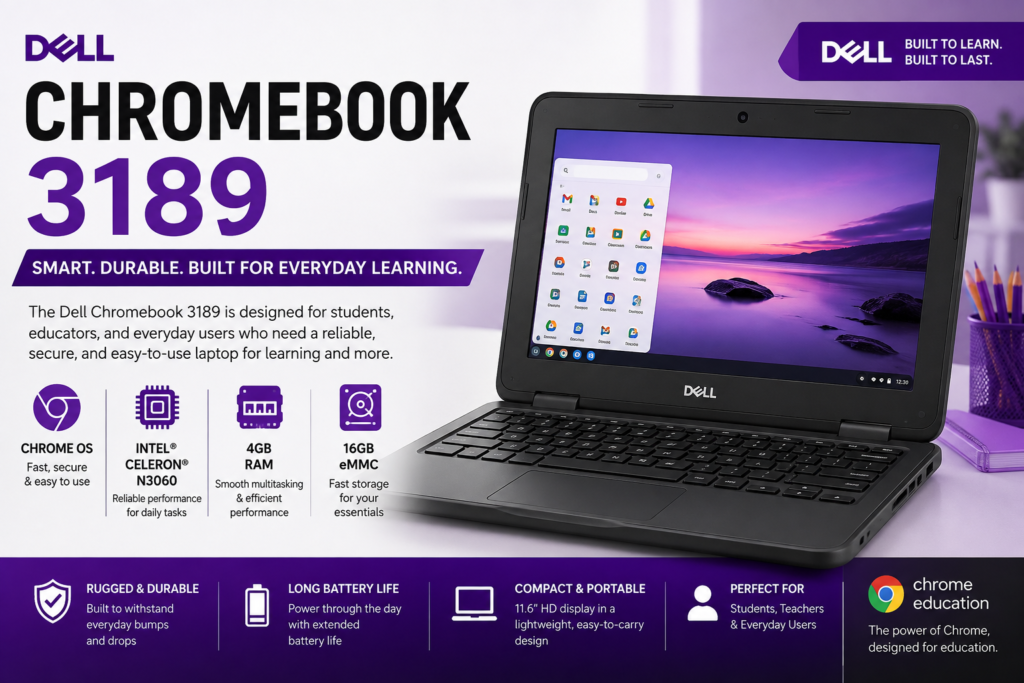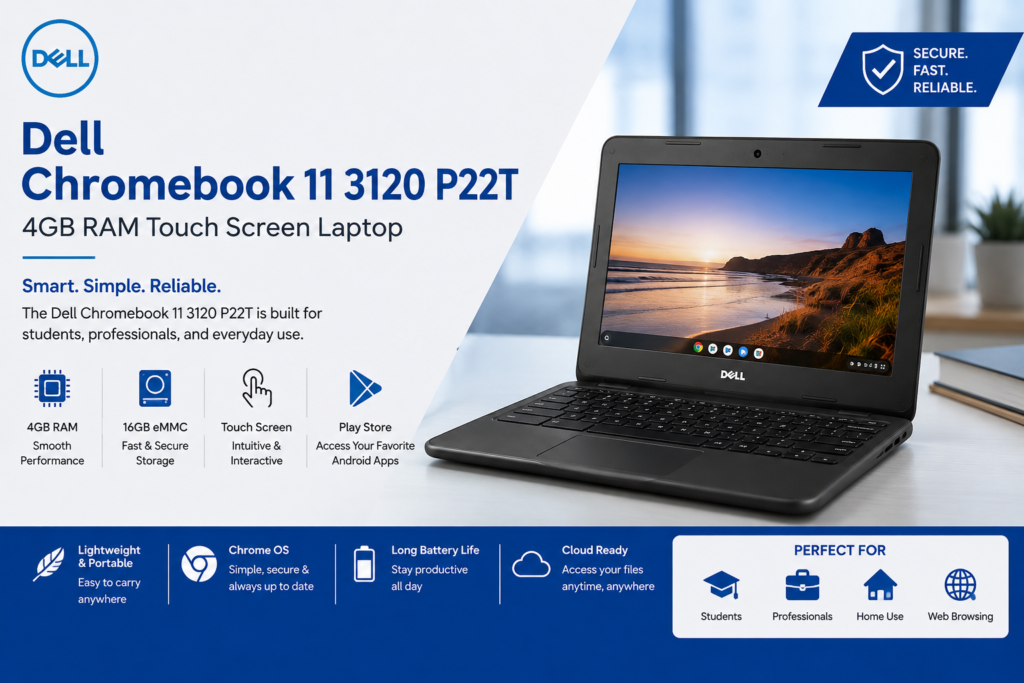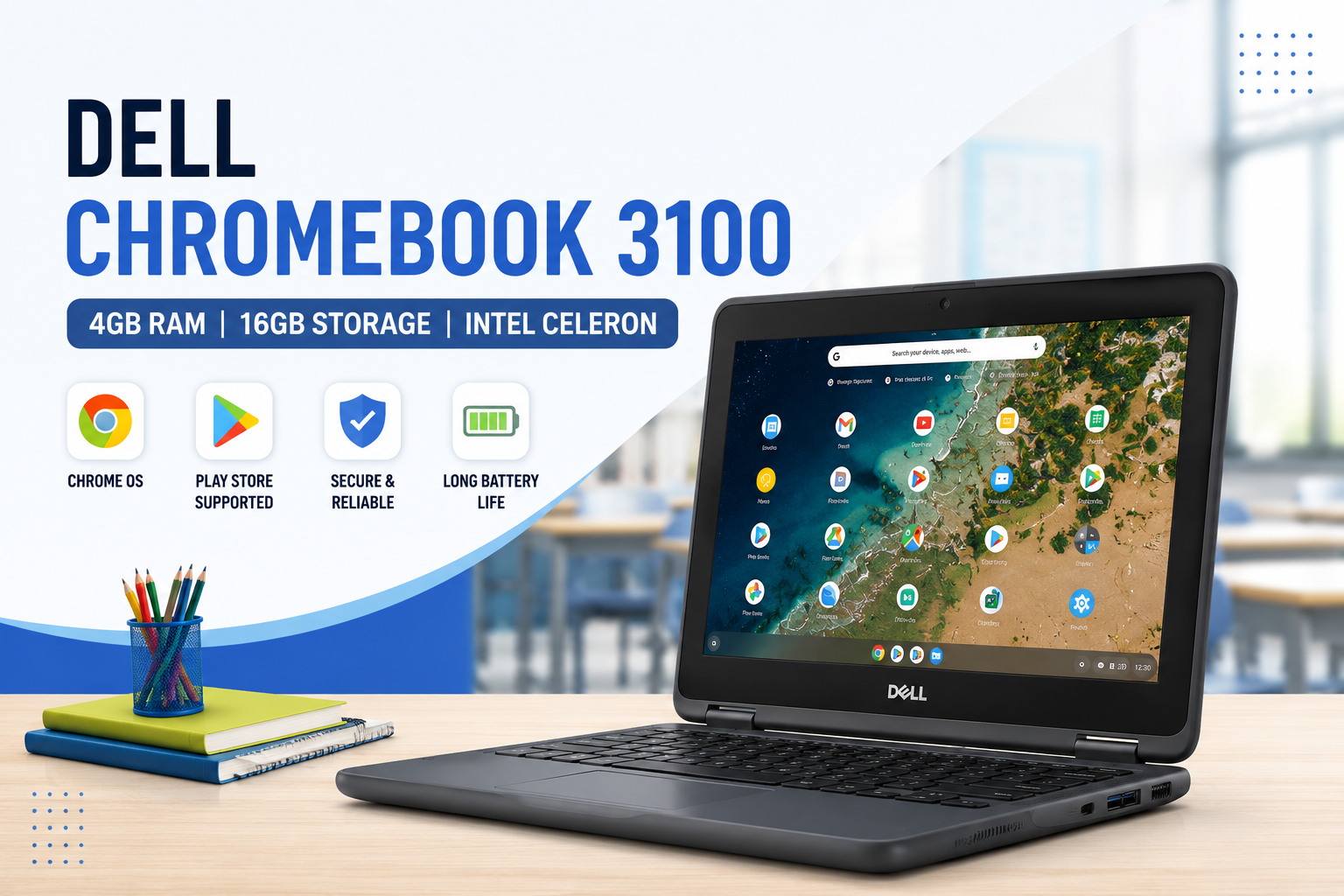
Dell Chromebook 3100 | 4GB RAM | 16GB Storage | Intel Celeron | 11.6″ HD Display | Chrome OS
The Dell Chromebook 3100 is a compact, durable, and budget-friendly laptop built for students, teachers, and everyday users. Equipped with an Intel Celeron processor, 4GB RAM, 16GB storage, and an 11.6-inch HD display, this Chromebook delivers reliable performance for online learning, web browsing, video streaming, and office tasks.
Powered by Chrome OS, the Dell Chromebook 3100 starts quickly, offers built-in security, and provides access to thousands of Android apps through Google Play Store support. Its lightweight design and long battery life make it an excellent companion for school, work, and travel.
Key Features
- Intel Celeron Processor
- 4GB DDR4 RAM
- 16GB eMMC Storage
- 11.6-inch HD Anti-Glare Display
- Chrome OS
- Google Play Store Supported
- Fast Boot Time
- Wi-Fi and Bluetooth Connectivity
- HD Webcam
- Lightweight and Portable Design
- Long Battery Life
- Durable Build for Daily Use
Smooth Performance for Everyday Tasks
The Dell Chromebook 3100 is designed to handle everyday computing with ease. Whether you’re attending online classes, browsing the internet, or working on assignments, the Intel Celeron processor ensures smooth and efficient performance.
This Chromebook is ideal for:
- Online Classes
- Google Classroom
- Zoom Meetings
- Google Docs
- Microsoft Office Online
- Web Browsing
- YouTube Streaming
- Email Management
- Cloud-Based Applications
- Educational Websites
Its optimized Chrome OS environment ensures responsive performance while using multiple browser tabs and web applications.
Memory and Storage
With 4GB RAM, users can comfortably multitask between educational and productivity apps. The 16GB eMMC storage is ideal for Chrome OS, which relies on cloud storage solutions like Google Drive for saving files and documents.
Benefits include:
- Fast Startup
- Quick App Launch
- Cloud Storage Integration
- Smooth Daily Performance
- Efficient File Access
11.6-inch HD Display
The 11.6-inch HD display provides clear visuals for studying, browsing, and entertainment. Its compact size makes it easy to carry in a backpack, making it perfect for students and professionals who need a portable device.
The anti-glare screen also helps reduce reflections during long study or work sessions.
Chrome OS with Play Store Support
One of the biggest advantages of the Dell Chromebook 3100 is Chrome OS, which offers:
- Fast Performance
- Automatic Software Updates
- Built-in Virus Protection
- Google Assistant
- Google Drive Integration
- Google Workspace Support
- Access to Android Apps through Google Play Store
Users can download popular applications such as:
Lightweight and Durable Design
Designed specifically for education and daily use, the Dell Chromebook 3100 features a sturdy build that can withstand regular handling. Its lightweight construction makes it ideal for carrying between classrooms, offices, or while traveling.
The comfortable keyboard and responsive touchpad enhance productivity during long typing sessions.
Why Choose the Dell Chromebook 3100?
The Dell Chromebook 3100 is a smart choice because it offers:
- Affordable Price
- Reliable Intel Celeron Performance
- Lightweight and Portable Design
- Long Battery Life
- Chrome OS Security
- Google Play Store Support
- Fast Boot Time
- Perfect for Students
- Excellent for Online Learning
- Easy Cloud Integration
Dell Chromebook 3100 Specifications
| Specification | Details |
|---|---|
| Processor | Intel Celeron |
| RAM | 4GB |
| Storage | 16GB eMMC |
| Display | 11.6-inch HD Display |
| Operating System | Chrome OS |
| Connectivity | Wi-Fi and Bluetooth |
| Camera | HD Webcam |
| Apps | Google Play Store Supported |
| Best For | Students, Online Learning, Browsing and Daily Tasks |
Dell Chromebook 3100 for Students and Online Learning
The Dell Chromebook 3100 is an excellent choice for students who need an affordable and reliable laptop for daily educational activities. Its compact 11.6-inch display, lightweight design, and Chrome OS make it easy to carry and use anywhere.
Students can use the Dell Chromebook 3100 for:
- Google Classroom
- Online lectures
- Virtual meetings
- Research and assignments
- Google Docs and Google Sheets
- Educational applications
- Email communication
- Watching learning videos
With 4GB RAM, the Chromebook can efficiently handle everyday browser-based tasks and commonly used educational applications.
Internet, Connectivity and Video Calls
The Dell Chromebook 3100 comes with wireless connectivity options that make it suitable for online work and learning. Users can connect to Wi-Fi networks for browsing, attending online classes, accessing cloud applications, and streaming content.
The built-in HD webcam also makes the device useful for:
- Zoom meetings
- Microsoft Teams classes
- Google Meet video calls
- Remote work
- Online interviews
- Virtual collaboration
Its compact design makes it a practical device for users who frequently work or study online.
Battery Life and Portability
One of the major advantages of a Chromebook is its portable and energy-efficient design. The Dell Chromebook 3100 is designed for users who need a device for daily study, browsing, and cloud-based work.
Its lightweight body makes it easy to carry in a backpack, while Chrome OS helps provide an efficient computing experience.
This makes the Dell Chromebook 3100 suitable for:
- School and college students
- Teachers
- Remote workers
- Travelers
- Home users
- Users who primarily work online
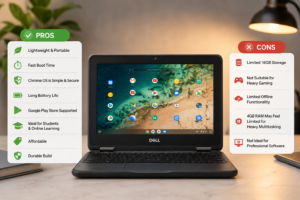
Pros and Cons
Pros
- Compact and lightweight design
- 4GB RAM for everyday multitasking
- Fast and secure Chrome OS
- Google Play Store support
- Ideal for online learning
- Easy access to Google Workspace
- Durable design for regular use
- Suitable for browsing and cloud-based applications
Things to Consider
- 16GB storage may feel limited for users who store large files locally
- Best suited for web-based and cloud-based tasks
- Not designed for heavy gaming or advanced professional software
- Chrome OS works differently from traditional Windows laptops
Who Should Buy the Dell Chromebook 3100?
The Dell Chromebook 3100 is a good option for users looking for a simple, affordable, and portable laptop.
It is especially suitable for:
Students
Students can use it for assignments, research, Google Classroom, online lectures, and educational applications.
Teachers
Teachers can create documents, presentations, conduct online classes, and communicate using email and collaboration tools.
Remote Workers
Users who primarily work with web applications, documents, email, and online meetings can benefit from its simple and fast Chrome OS environment.
Everyday Users
For browsing, YouTube, social media, email, and other everyday activities, the Dell Chromebook 3100 provides a straightforward experience.
Frequently Asked Questions
Is Dell Chromebook 3100 good for students?
Yes, the Dell Chromebook 3100 is a suitable option for students. It can handle online classes, Google Classroom, assignments, web browsing, video streaming, and other everyday educational tasks.
Can I install Android apps on Dell Chromebook 3100?
If the device configuration supports the Google Play Store, users can download compatible Android applications and use them on Chrome OS.
Is 4GB RAM enough for a Chromebook?
For everyday tasks such as web browsing, Google Docs, online classes, email, and video streaming, 4GB RAM is generally suitable.
Can I use Microsoft Office on Dell Chromebook 3100?
You can use Microsoft Office through compatible web-based applications and other supported options available for Chrome OS.
Is Dell Chromebook 3100 good for Zoom meetings?
Yes, it can be used for Zoom and other video conferencing platforms, making it suitable for online classes and remote communication.
Is Dell Chromebook 3100 suitable for gaming?
The Dell Chromebook 3100 is primarily designed for education, browsing, and everyday computing. It is not intended for demanding PC games or high-end gaming.
SEO Improvement for Your Existing Content
Aapka main focus keyword ye rakh sakti hain:
Dell Chromebook 3100
Aur ye related keywords naturally content mein add karein:
- Dell Chromebook 3100 price
- Dell Chromebook 3100 specifications
- Dell Chromebook 3100 4GB RAM
- Dell Chromebook 3100 16GB storage
- Dell Chromebook for students
- Dell Chromebook 3100 review
- Intel Celeron Chromebook
- 11.6 inch Chromebook
- affordable Chromebook for students
Cloud Storage and Google Drive Integration
The Dell Chromebook 3100 with 4GB RAM and 16GB storage is designed to work efficiently with cloud-based services. Since the device has limited internal storage, users can save documents, photos, and other important files online using Google Drive and other compatible cloud storage platforms.
This provides several benefits:
- Access files from different devices
- Reduce the need for large internal storage
- Easily share documents with others
- Collaborate on assignments and projects
- Keep important files backed up online
For students and professionals who regularly use cloud applications, this can make everyday work more convenient.
Perfect for Google Workspace
The Dell Chromebook 3100 works well with Google Workspace applications. Users can create documents, prepare presentations, manage spreadsheets, and communicate through email directly from the browser.
Popular productivity tools include:
- Google Docs for writing assignments
- Google Sheets for spreadsheets
- Google Slides for presentations
- Gmail for email communication
- Google Drive for cloud storage
- Google Meet for online meetings
This makes the Dell Chromebook 3100 a practical laptop for educational institutions, offices, and users who mainly work online.
Durable Design for Daily Use
The Dell Chromebook 3100 is designed for regular everyday use. Its compact form factor makes it convenient for students who need to carry their laptop between home, school, college, or other locations.
The device is particularly useful for users looking for a laptop that is:
- Easy to carry
- Simple to operate
- Suitable for daily browsing
- Useful for educational purposes
- Convenient for online communication
Its portable 11.6-inch HD display also makes it a good option for users who prefer a smaller laptop instead of a larger and heavier device.
Dell Chromebook 3100 for Work from Home
For basic work-from-home activities, the Dell Chromebook 3100 can handle many essential tasks through web-based applications.
Users can perform activities such as:
- Sending and receiving emails
- Attending online meetings
- Creating documents
- Managing spreadsheets
- Accessing cloud files
- Communicating with team members
- Browsing business websites
- Using online productivity tools
However, users who require demanding desktop software, advanced video editing, professional graphic design, or heavy multitasking may need a more powerful laptop with higher specifications.
Easy Security and Automatic Updates
Security is another important advantage of using Chrome OS. The operating system is designed with built-in security features and automatic updates to help keep the device updated.
Users can benefit from:
- Automatic software updates
- Built-in security features
- Secure Google account integration
- Simple backup options
- Cloud-based file management
This can be particularly helpful for students and everyday users who want a straightforward computing experience without complicated software management.
Is 16GB Storage Enough?
The 16GB eMMC storage is suitable for users who primarily work online and use cloud storage. Chrome OS is designed around web applications and cloud services, so users can store many files online instead of keeping everything on the laptop.
The 16GB storage is suitable for:
- Documents
- Small files
- Browser-based applications
- Online assignments
- Cloud-based work
Users who need to store large videos, games, software, or large media files locally should consider a device with more internal storage.
Dell Chromebook 3100 vs Traditional Laptop
The Dell Chromebook 3100 is different from a traditional Windows laptop. It is primarily designed for users who spend most of their time online.
Choose a Dell Chromebook 3100 if you need:
- Online learning
- Web browsing
- Google Workspace
- Email management
- Video meetings
- Cloud-based applications
- A lightweight and portable device
Consider a more powerful laptop if you need:
- Advanced video editing
- Heavy gaming
- Professional software
- Large local storage
- High-end programming environments
- Intensive multitasking
Overall User Experience
The Dell Chromebook 3100 offers a simple, fast, and convenient experience for everyday computing. Its combination of an Intel Celeron processor, 4GB RAM, 16GB eMMC storage, and 11.6-inch HD display makes it suitable for basic productivity and educational tasks.
Final Verdict
Dell Chromebook 3100is an excellent entry-level Chromebook for students, teachers, and everyday users. Its Intel Celeron processor, 4GB RAM, 16GB storage, and Chrome OS provide a secure, fast, and user-friendly computing experience. Whether you need a laptop for education, web browsing, remote work, or entertainment, the Dell Chromebook 3100 delivers dependable performance at an affordable price.