




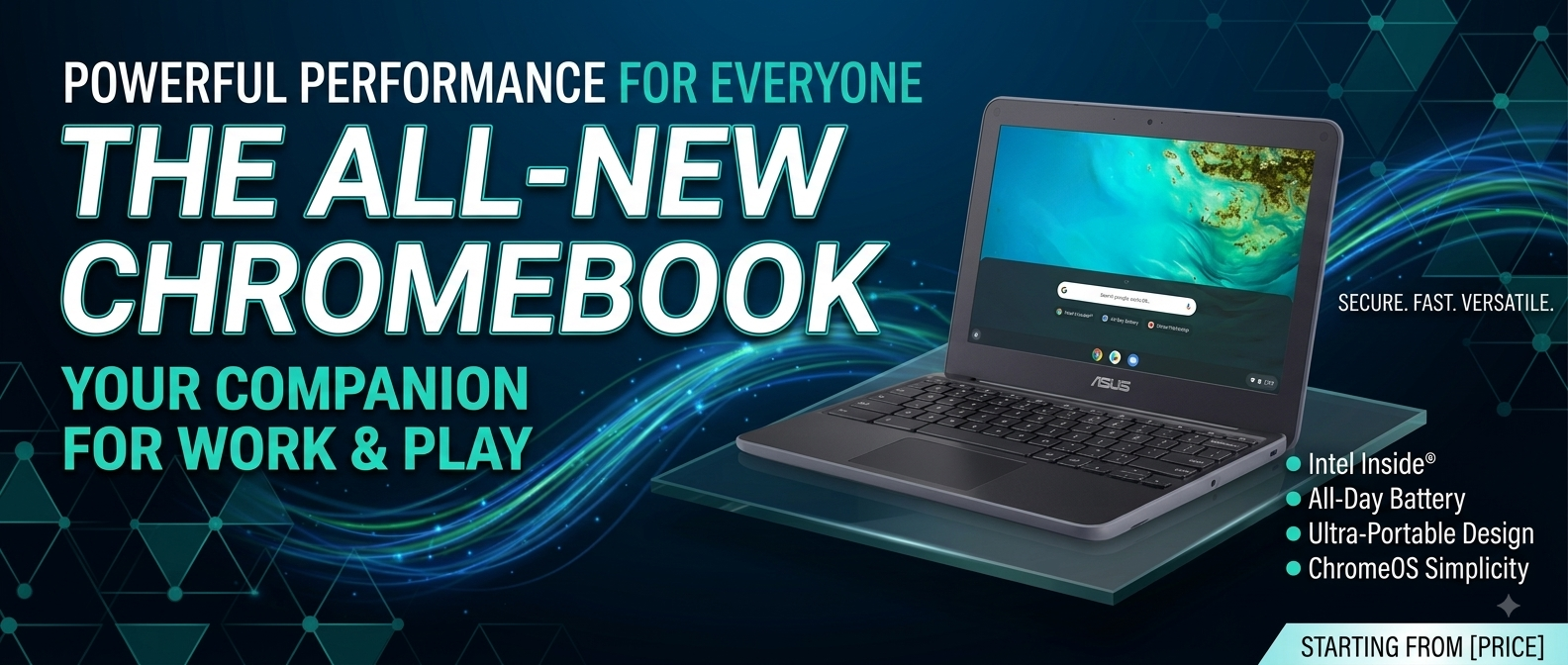
ASUS Chromebook C202S Review | Intel Celeron, 4GB RAM, 16GB Storage & Play Store Support
Introduction
The ASUS Chromebook C202S is a compact and affordable Chromebook designed for students, teachers, home users, and anyone who needs a simple device for everyday computing. With an Intel Celeron processor, 4GB RAM, 16GB storage, an 11.6-inch HD display, ChromeOS, and a built-in webcam, this Chromebook is suitable for web browsing, online classes, Google Docs, email, video streaming, and basic productivity.
Unlike traditional Windows laptops, the ASUS Chromebook C202S runs ChromeOS, an operating system designed around web-based applications and cloud storage. This makes the device easy to use and particularly useful for users who spend most of their time online.
Its durable and compact design also makes the ASUS Chromebook C202S a practical choice for students who need a laptop that can easily be carried between school, home, and other locations.
ASUS Chromebook C202S Performance
The Intel Celeron processor provides enough performance for everyday computing tasks. It is not designed for heavy gaming, professional video editing, or demanding software, but it works well for the type of activities normally performed on a Chromebook.
You can comfortably use the ASUS Chromebook C202S for:
- Web browsing
- Google Search
- Gmail
- Google Docs
- Google Sheets
- Online classes
- YouTube
- Online research
- Video calls
- Cloud applications
- Basic office work
For students and casual users, this performance can be sufficient. However, users who frequently open many demanding browser tabs or applications may notice limitations because of the entry-level hardware.
4GB RAM for Everyday Multitasking
The 4GB RAM configuration is suitable for basic multitasking. Users can browse websites, work on documents, check email, and use educational platforms without requiring a powerful computer.
For example, a student can open Google Classroom, research information online, and write an assignment in Google Docs.
However, 4GB RAM is not ideal for extremely heavy multitasking. If you regularly keep dozens of Chrome tabs open, a Chromebook with more RAM may provide a better experience.
16GB Storage and Google Drive
One of the biggest limitations of the ASUS Chromebook C202S is its 16GB internal storage. Compared with modern laptops, this is quite limited.
However, Chromebooks are designed to work with cloud storage. Users can save documents, assignments, presentations, and other files to Google Drive instead of storing everything locally.
Cloud storage provides several benefits:
- Saves local storage space
- Makes files accessible from different devices
- Simplifies file sharing
- Helps organize documents
- Supports cloud-based productivity
Users should regularly clean the Downloads folder and remove unnecessary files to keep enough free space.
11.6-Inch HD Display
The 11.6-inch HD display keeps the ASUS Chromebook C202S compact and portable. It is suitable for browsing websites, reading documents, watching videos, and attending online classes.
The smaller display is especially convenient for students because it takes up less space on a desk and is easy to carry in a backpack.
However, users who work with large spreadsheets, editing software, or multiple windows at the same time may prefer a larger 14-inch or 15.6-inch laptop.
ChromeOS Experience
ChromeOS is one of the main reasons to consider the ASUS Chromebook C202S.
The operating system is simple and focuses on browser-based applications and cloud services. Users who already use Google Chrome, Gmail, Google Drive, and Google Docs will find the environment familiar.
ChromeOS is ideal for:
- Internet browsing
- Google Workspace
- Online learning
- Cloud storage
- Video streaming
- Basic productivity
The simple interface also makes the Chromebook suitable for beginners and younger students.

Explore UZ TECH for better Experience
Google Play Store Support
Google Play Store support can expand the functionality of compatible Chromebook models by allowing users to access supported Android applications.
Depending on the exact model and ChromeOS support, users may be able to use applications for:
- Education
- Productivity
- Communication
- Video conferencing
- Creativity
- Entertainment
Before purchasing an older ASUS Chromebook C202S, it is recommended to verify the current Play Store and Android application compatibility of the exact device.
Built-In Webcam for Online Classes
The built-in webcam makes the ASUS Chromebook C202S useful for online communication.
Students can use it for:
- Google Meet
- Zoom
- Online classes
- Virtual meetings
- Remote learning
- Video calls
The webcam is designed for basic communication rather than professional video production, but it is sufficient for everyday video conferencing.
Durable and Student-Friendly Design
The ASUS Chromebook C202S was designed with students and educational environments in mind. Its durable construction makes it more practical for frequent transportation and everyday classroom use.
The compact body is easy to carry, while the student-oriented design makes it suitable for:
- Schools
- Colleges
- Libraries
- Home learning
- Training centers
- Travel
Although the Chromebook is designed for durability, it should still be handled carefully and protected from excessive impact or liquid.
Battery Life and Portability
Battery life is another useful feature for students and travelers. A Chromebook is generally designed for mobile use, allowing users to work, study, browse, or watch videos without constantly needing a power outlet.
Actual battery life can vary depending on:
- Battery condition
- Screen brightness
- Wi-Fi usage
- Video streaming
- ChromeOS version
- Device age
Because the ASUS Chromebook C202S is an older model, buyers purchasing a used or refurbished unit should check the battery condition carefully.
Connectivity Options
The ASUS Chromebook C202S provides useful connectivity features for everyday use, including options such as:
- Wi-Fi
- Bluetooth
- USB connectivity
- Headphone connectivity
- External device support
These features allow users to connect accessories such as headphones, mice, keyboards, and other compatible devices.
The exact port configuration can vary depending on the specific C202S model, so buyers should verify the ports before purchasing.
ASUS Chromebook C202S for Students
Students are one of the best target audiences for this Chromebook.
The ASUS Chromebook C202S can be used for:
- Online classes
- Google Classroom
- Google Docs
- Research
- Homework
- Presentations
- Educational videos
- Online assignments
Its compact size also makes it convenient for students who need to carry their device between home and school.
ASUS Chromebook C202S for Everyday Use
For everyday users, the Chromebook is suitable for common tasks such as browsing the internet, checking emails, watching YouTube, using social media, reading articles, and working with cloud documents.
It can also be useful as a secondary computer for people who already own a powerful desktop or laptop but want a lightweight device for travel and basic tasks.
Who Should Buy ASUS Chromebook C202S?
The ASUS Chromebook C202S is a good choice for:
- Students
- Teachers
- Parents
- Online learners
- Home users
- Travelers
- Basic office users
- Web-based freelancers
- Users looking for an affordable Chromebook
It is especially suitable for people whose work is mostly browser-based.
Who Should Avoid It?
The ASUS Chromebook C202S is not the best option for users who need:
- High-end gaming
- Professional video editing
- 3D rendering
- CAD software
- Advanced graphic design
- Heavy programming environments
- Large local storage
- Specialized Windows applications
For these workloads, a newer and more powerful Windows laptop would be a better choice.
Pros and Cons
Pros
- Affordable and budget-friendly
- Compact 11.6-inch design
- Durable student-focused construction
- ChromeOS is easy to use
- Good for online learning
- Built-in webcam
- Suitable for Google Workspace
- Portable and lightweight
- Useful for basic everyday tasks
Cons
- Only 16GB internal storage
- 4GB RAM limits heavy multitasking
- Intel Celeron is an entry-level processor
- Small display
- Not suitable for demanding gaming or professional editing
- Older model requires checking ChromeOS support
Frequently Asked Questions
Is ASUS Chromebook C202S good for students?
Yes. Its compact design, ChromeOS, webcam, keyboard, and cloud-based applications make it suitable for students and online learning.
Does ASUS Chromebook C202S support the Google Play Store?
Play Store support depends on the exact model and ChromeOS version. Users should verify compatibility before purchasing.
Is 16GB storage enough?
It can be enough for basic cloud-based use, but users should rely on Google Drive and avoid storing large files locally.
Can I use Microsoft Office?
Microsoft Office web applications can be accessed through a browser. Users who require the full desktop version of Microsoft Office should consider a Windows laptop.
Is ASUS Chromebook C202S good for online classes?
Yes. It is suitable for browser-based classes, Google Classroom, Google Meet, Zoom, research, and document work.
Is ASUS Chromebook C202S good for gaming?
It is suitable for lightweight games but is not designed for demanding PC gaming.
Final Verdict
The ASUS Chromebook C202S is a practical and affordable Chromebook for students, teachers, and everyday users. With an Intel Celeron processor, 4GB RAM, 16GB storage, 11.6-inch HD display, ChromeOS, webcam, and useful connectivity options, it provides the essential features needed for browsing, online learning, email, streaming, and basic productivity.
Its main advantages are its durable design, portability, simple ChromeOS experience, and suitability for cloud-based work. The biggest limitations are its 16GB storage, entry-level performance, and older hardware.
If you need an affordable Chromebook for schoolwork, online classes, web browsing, Google Docs, email, and everyday internet use, the ASUS Chromebook C202S can be a practical choice, especially when purchased at a reasonable price.