Dell Chromebook 5190 Touchscreen Laptop – 4GB RAM, 32GB SSD, 360° Rotatable Chromebook for Students
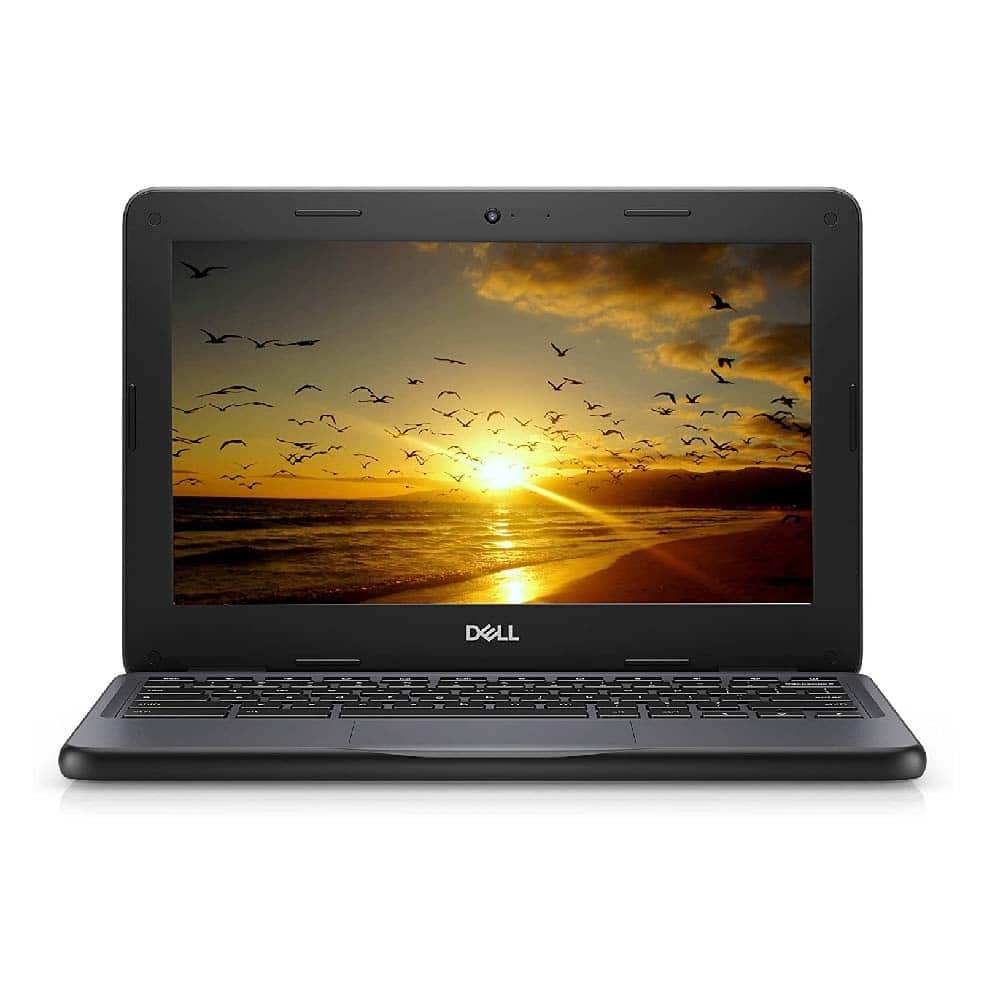
The Dell Chromebook 5190 is a reliable and lightweight Chromebook designed for students, professionals, and everyday users who need a portable device for browsing, education, office work, and entertainment. Powered by Chrome OS, this Chromebook provides a simple and user-friendly computing experience with fast startup, automatic updates, and access to a wide range of applications.
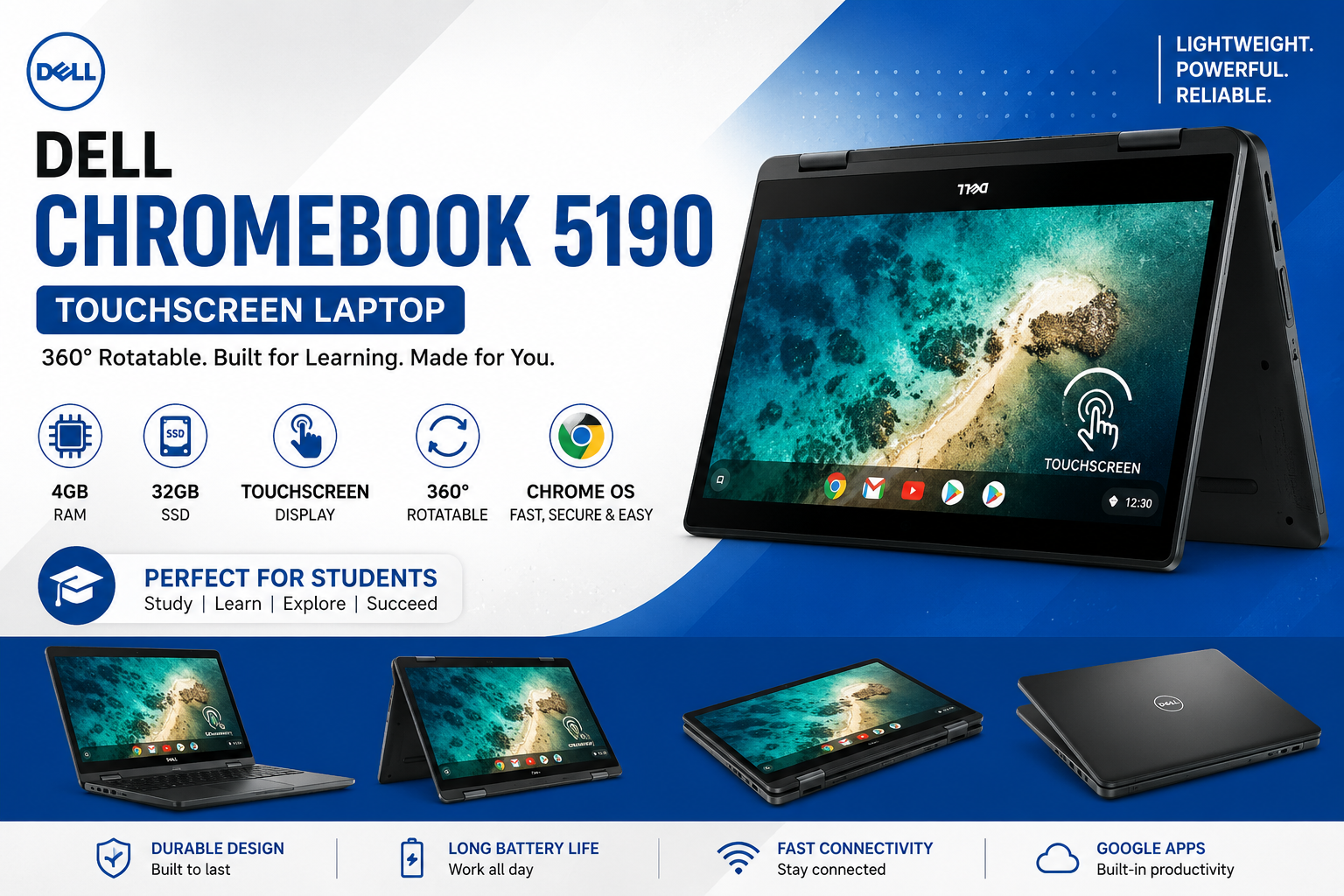
Its 11.6-inch HD touchscreen display and 360-degree rotatable hinge make the Dell Chromebook 5190 especially flexible. You can easily switch between laptop, tablet, tent, and stand modes depending on your activity. Whether you are attending online classes, preparing assignments, browsing the web, watching videos, or working remotely, this convertible Chromebook can adapt to different tasks.
Compact and Durable Design
The Dell Chromebook 5190 features a compact design that makes it easy to carry between home, school, university, and office. Its durable construction is suitable for students and users who need a dependable laptop for everyday use.
The smaller 11.6-inch form factor also makes this Chromebook convenient for travel. It takes up less space than larger laptops while still providing enough screen area for browsing, documents, online learning, and other basic tasks.
Responsive 11.6-Inch Touchscreen Display
One of the key highlights of the Dell Chromebook 5190 is its 11.6-inch HD touchscreen display. The touchscreen allows users to interact directly with applications, websites, documents, and other content.
This feature can be particularly useful for:
- Online classes
- Web browsing
- Video streaming
- Reading documents
- Google Workspace
- Educational applications
- Presentations and notes
The touchscreen combined with the convertible hinge provides a more flexible way to use the Chromebook.
360° Convertible Flexibility
The 360-degree hinge allows the Dell Chromebook 5190 to be used in multiple configurations. Users can quickly change the device according to their needs.
The available modes include:
- Laptop Mode – Ideal for typing, assignments, and office work.
- Tablet Mode – Useful for browsing, reading, and touchscreen applications.
- Tent Mode – Suitable for watching videos and presentations.
- Stand Mode – Convenient for viewing content without holding the device.
This flexibility makes the Chromebook a practical choice for students, teachers, remote workers, and home users.
Reliable Performance with 4GB RAM
The 4GB RAM provides suitable performance for everyday computing activities. Combined with Chrome OS, the Dell Chromebook 5190 can handle common tasks such as web browsing, email, Google Docs, online classes, and lightweight applications.
Chrome OS is designed for efficient and lightweight computing, making this configuration suitable for users who primarily need a device for productivity, education, and internet-based activities.
For the best experience, users should avoid running too many demanding applications or browser tabs simultaneously, especially when performing heavier tasks.
Fast 32GB Storage
The Dell Chromebook 5190 comes with 32GB storage, providing space for essential files, applications, and offline content. Chrome OS also works well with cloud-based storage services such as Google Drive, allowing users to keep important documents and files online.
The storage configuration helps provide:
- Quick system startup
- Fast application loading
- Efficient everyday performance
- Silent operation
- Convenient cloud-storage integration
Note: If your specific product listing uses 32GB SSD, keep “32GB SSD” in the blog. If the actual device specification is eMMC, update the wording to 32GB eMMC storage for accuracy.
Chrome OS Advantages
The Dell Chromebook 5190 runs on Chrome OS, Google’s operating system designed for speed, simplicity, and security. It provides an easy-to-use interface that is particularly suitable for students and users who spend most of their time online.
Chrome OS features include:
- Automatic software updates
- Built-in security features
- Fast startup
- Google account integration
- Google Docs, Sheets, and Slides
- Google Drive support
- Access to compatible applications
Users familiar with Google’s ecosystem can easily synchronize their files, settings, and other information across supported devices.
Ideal for Students and Everyday Users
The Dell Chromebook 5190 is a practical option for students who need an affordable device for education and everyday productivity. Its compact size, touchscreen, and convertible design make it convenient for school and university work.
It can be suitable for:
- Students
- Teachers
- Remote workers
- Office users
- Freelancers
- Home users
- Online learners
Students can use it for assignments, research, Google Classroom, online lectures, document editing, and web browsing.
Key Features of Dell Chromebook 5190
- 11.6-inch HD Touchscreen Display
- 4GB RAM
- 32GB Storage
- Chrome OS
- 360° Convertible Design
- Lightweight and portable body
- Google Play Store support where available
- Fast startup
- Durable design
- Suitable for online learning and office tasks
Why Choose the Dell Chromebook 5190?
The Dell Chromebook 5190 combines portability, touchscreen functionality, convertible flexibility, and the simplicity of Chrome OS in a compact package. Its 360-degree hinge gives users more ways to interact with the device, while the 11.6-inch display keeps the laptop easy to carry.
For students and everyday users, it can provide a convenient platform for web browsing, online education, documents, email, video streaming, and other lightweight tasks.
If you are looking for a Dell Chromebook 5190 with touchscreen functionality and a 360-degree convertible design, this model is worth considering for education, basic productivity, and everyday computing.
Dell Chromebook 5190 for Online Learning
Online education has become an important part of modern learning. A lightweight Chromebook can be useful for students attending virtual classes, accessing educational websites, preparing assignments, and communicating with teachers.
The touchscreen and convertible design can also make reading, viewing presentations, and interacting with supported educational applications more convenient.
Dell Chromebook 5190 for Office and Remote Work
For basic office and remote-work tasks, the Dell Chromebook 5190 can be used for email, web applications, online meetings, document editing, and cloud-based productivity tools.
Its compact design makes it easy to move between different workspaces, while Chrome OS provides quick access to Google’s productivity ecosystem.
Conclusion
The Dell Chromebook 5190 is a compact and versatile Chromebook designed for students, professionals, remote workers, and everyday users. Its 4GB RAM, 32GB storage, 11.6-inch touchscreen, Chrome OS, and 360-degree convertible design make it suitable for browsing, online learning, documents, entertainment, and basic productivity.
With its portable design and flexible viewing modes, the Dell Chromebook 5190 can be a practical choice for users who want a simple and affordable Chromebook for everyday computing.